
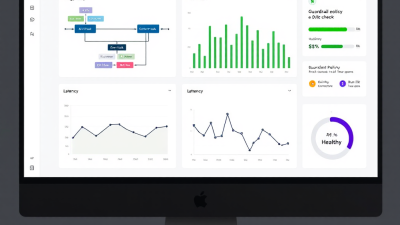
AgentOps That Enterprises Trust: Observability, Guardrails, and ROI for AI Workflow Automation
Why AgentOps Now: AI Automation Without Surprises
AI is moving from novelty to necessity. Customer operations, finance, sales, and IT are all asking the same question: can we trust AI to automate real work without introducing risk, runaway costs, or reputational harm? The prize is large—research estimates generative AI could unlock trillions in value across business functions—but leadership wants more than visions; they want a plan that ships safely and proves impact. As a pragmatic blueprint, AgentOps turns AI workflows from “let’s try it” into a disciplined operating model: observable, governed, cost-aware, and continuously improving. Think of it as DevOps for AI workflows, spanning Power Automate, Copilot Studio, and adjacent tools like n8n and Make, with the governance rigor enterprises expect. The opportunity is clear in industry analysis from sources like McKinsey, which estimates generative AI could add $2.6–$4.4 trillion in annual value globally, especially in customer operations, marketing/sales, and software engineering; the mandate is to capture it responsibly and measurably, now. See: The economic potential of generative AI.
Defining AgentOps: The Trust Stack for AI Workflows
At B. Cobra Systems, we define AgentOps as the trust stack for AI-powered workflows—processes that include model-driven steps, retrieval augmentation, dynamic tools, and human approvals. The stack spans:
– Observability: End-to-end traces, logs, metrics, and transcripts from trigger to outcome, aligned to OpenTelemetry’s generative AI semantic conventions to normalize prompts, token usage, latency, and cost across platforms. Reference: OpenTelemetry semantic conventions for Generative AI.
– Guardrails: Defensive controls for data loss prevention, prompt and content safety, RAG grounding, least-privilege tools, and rate limits. Microsoft’s secure generative AI guidance provides a defense-in-depth blueprint. See: Secure generative AI applications.
– Evaluation: Offline and online test harnesses, quality/safety gates, and regression testing for prompts, RAG corpora, and connectors. Azure AI Studio (Prompt flow) brings first-class evaluation tooling. See: Evaluate generative AI applications in Azure AI Studio and Evaluate with Prompt flow.
– Cost and ROI: Cost-per-task telemetry from tokens to run time, linked to Azure cost exports and Power Platform usage for clean ROI accounting. See: Manage costs for Azure OpenAI and Pay-as-you-go for Power Automate.
– Change management: Environments, ALM pipelines, approvals, and rollback. Native in Power Platform via Pipelines and Managed Environments. See: Power Platform Pipelines and Managed Environments.
This trust stack is how you turn AI workflows from unpredictable to production-ready.
Reference Architecture on Microsoft Power Platform (Power Automate, Copilot Studio, Dataverse, Azure OpenAI)
The reference architecture anchors on Power Platform for orchestration and governance, with Azure services handling models, content safety, and observability.
– Orchestration and data: Power Automate runs workflow logic, Copilot Studio hosts conversational agents, and Dataverse provides a governed data backbone for state, exception queues, and telemetry attributes.
– Model and retrieval: Azure OpenAI supplies model endpoints; RAG ground truth is served from Dataverse, SharePoint, or Azure Cognitive Search. Safety filters run via Azure AI Content Safety. See: Azure AI Content Safety.
– Observability: Prompt and run telemetry is emitted to Application Insights from Prompt flow and Azure AI Studio, and combined with Power Automate run history and Copilot Studio analytics. See: Azure AI Studio evaluation and tracing and Copilot Studio analytics.
– Governance: DLP policy enforcement, Managed Environments, and Pipelines manage connector usage, sharing limits, and gated deployments. See: Power Platform DLP policies, Managed Environments, and Pipelines overview.
Observability That Matters: Traces, Logs, and Metrics from Flow to Agent
Good telemetry answers three questions: What happened? Why did it happen? What did it cost?
– End-to-end tracing: Tag each flow run with a correlation ID and propagate it into Copilot conversations and Prompt flow runs. Use OpenTelemetry’s gen-AI spans for prompt input/output, model ID, temperature, token counts, latency, and safety flags. See: Gen-AI semantic conventions.
– Centralized logging: Stream Prompt flow traces to Application Insights and enrich with Power Automate run properties and Copilot Studio transcript metadata. Azure AI Studio supports logging run telemetry for observability and experiment comparison. See: Azure AI Studio evaluation & tracing.
– Platform analytics: Use Copilot Studio’s built-in dashboards (engagement, resolution, escalation) to map conversation outcomes to business KPIs. See: Copilot Studio analytics and governance.
– Adoption and compliance visibility: Deploy the CoE Starter Kit to inventory apps/flows, track usage, and surface policy drift or shadow connectors. See: CoE Starter Kit.
Cost-Per-Task Telemetry and a Practical ROI Model
No surprises means no mystery bills. Implement cost accounting where it happens:
– Token and model costs: Capture prompt and completion tokens from gen-AI spans and correlate to Azure OpenAI unit pricing. Azure Cost Management exposes usage you can export and join with application telemetry. See: Azure OpenAI cost management.
– Workflow execution costs: Power Automate’s pay-as-you-go routes charges to Azure for granular visibility and budgeting by environment, solution, or flow. See: Pay-as-you-go for Power Automate.
– Human oversight cost: When approvals or triage are required, log reviewer minutes and blend with labor cost.
– Practical equation: Cost per task = (OpenAI tokens x price) + (other API calls) + (Power Automate run cost) + (human minutes x rate) + allocated storage/logging. Track per correlation ID for precision.
– ROI framing: Value per task includes time saved, higher first-contact resolution, reduced error/rework, and revenue lift. Forrester’s TEI on Power Platform reports payback often within months—a baseline expectation when you instrument properly. See: Forrester Total Economic Impact of Microsoft Power Platform.
Guardrails and Policy Engines: DLP, Prompt Safety, RAG Grounding, and Rate Limits
Guardrails convert hope into policy.
– DLP and connector control: Classify connectors into business/non-business and restrict HTTP/custom connectors to contain exfiltration risk. Enforce tenant isolation where needed. See: Power Platform DLP policies.
– Prompt and content safety: Filter inputs/outputs for hate, sexual content, self-harm, and violence using Azure AI Content Safety; log safety categories for compliance. See: Azure AI Content Safety.
– RAG grounding: Force answers to cite retrieved passages; block hallucinations by instructing “answer only from provided context.” Use Microsoft’s secure AI patterns for prompt injection defenses and least-privilege tool use. See: Secure generative AI applications and OWASP Top 10 for LLM Applications.
– Rate limits and budgets: Apply per-agent throughput caps and cost budgets; if breached, degrade to simpler flows or queue for human review.
– Managed Environments: Enforce solution checker, sharing limits, maker rules, and digest reports to control sprawl. See: Managed Environments.
Evaluation Harnesses: Test Suites, Offline Datasets, SxS Comparisons, and Red Teaming
Before production, make the model prove it.
– Offline datasets: Build canonical test sets (inputs + expected outputs) for your use cases: intents, forms processing, email drafting, and Q&A with citations.
– Prompt flow evaluations: Use built-in metrics like groundedness, relevance, coherence, similarity, and harmful content; compare A/B prompts and RAG variants. See: Evaluate with Prompt flow.
– Online SxS: Route a percentage of live traffic to candidate versions; capture side-by-side ratings from users and annotate failures.
– Red teaming: Test prompt injection, jailbreaks, and data exfiltration scenarios guided by Microsoft security patterns and OWASP LLM risks. See: Microsoft LLM security guidance and OWASP LLM Top 10.
– CI/CD gates: Fail the build when quality or safety thresholds aren’t met; integrate responsible AI evaluations as pipeline checks. See: Safety evaluations for generative AI systems.
Rollback and Resilience: Blue/Green, Feature Flags, Kill Switches, and Safe Fallbacks
Nothing instills trust like a graceful exit.
– Blue/green deployments: Promote managed solutions through Pipelines with staged approvals, then switch traffic when health checks pass. Roll back by redeploying the prior solution version. See: Power Platform Pipelines.
– Environment backups: Schedule environment backups and document restore runbooks for worst-case recovery. See: Backup and restore environments.
– Feature flags and kill switches: Toggle AI steps within flows via environment variables; add a global “disable AI” variable checked by all agents. If triggered, route to deterministic logic or human queues.
– Safe degradation: If RAG or model calls fail, fall back to templated responses, knowledge base links, or human escalation instead of failing the entire workflow.
Human-in-the-Loop Patterns: Approvals, Exception Queues, and Triage Runbooks
Human oversight is not a bug—it’s a feature.
– Approvals in flow: Gate high-risk steps (customer credits, legal replies) behind Power Automate Approvals with SLAs and escalation.
– Exception queues: Write ambiguous or low-confidence cases to a Dataverse queue with full context, prompt output, retrieved sources, and safety flags for review.
– Triage runbooks: Define playbooks for common failure modes (missing context, unsafe content flagged, rate limit exceeded) with step-by-step resolution and feedback capture to fine-tune prompts or RAG.
Change Management and Governance: CoE Starter Kit, Environment Strategy, Solution ALM
Governance is how you scale velocity without chaos.
– Environment strategy: Separate Dev/Test/Prod; restrict production maker rights; enforce DLP per environment, not just globally. See: DLP policies.
– Solution-driven ALM: Package flows, copilots, custom connectors, and environment variables into managed solutions; deploy via Pipelines with audit trails and approvals. See: Pipelines overview.
– CoE telemetry: Use the CoE Starter Kit to monitor inventory, usage, policy compliance, and to automate cleanup/archival. See: CoE Starter Kit.
– Managed Environments levers: Weekly digests, solution checker enforcement, and sharing limits keep risk visible. See: Managed Environments.
Security & Compliance: Data Residency, Audit Trails, and Evidence Retention
Start with your regulatory and risk context, then instrument accordingly.
– Data residency and boundary: Use region-appropriate environments and ensure model and retrieval services align with residency requirements.
– Least privilege: Constrain connectors and tools; avoid broad graph permissions to reduce blast radius—per Microsoft’s secure AI guidance. See: Secure generative AI applications.
– Audit trails: Retain flow run history, Copilot transcripts, evaluation artifacts, and approval logs for the necessary retention period; store safety flags and prompts for forensics.
– Content safety evidence: Persist Azure AI Content Safety categorizations alongside transcripts to prove compliance. See: Azure AI Content Safety.
Vendor-Agnostic Notes: Integrating n8n, Make, and Existing Orchestration with Power Platform
Many enterprises run a heterogeneous automation stack. You can still achieve end-to-end observability and governance:
– Shared correlation: Propagate correlation IDs across Power Automate, n8n, Make, and Azure components; include them in logs and messages.
– External logs: n8n Enterprise offers execution logs, run history, error handling, workflow versioning, and audit logs—ingest these into your central telemetry. See: n8n logs and auditing. Make provides scenario execution history, detailed logs, error handling, and versioning—link them to your incident timelines. See: Make execution history and logs.
– Policy harmonization: Apply DLP and connector restrictions where Power Platform runs, and adopt analogous policies in other tools; codify shared guardrail patterns (prompt filters, RAG rules, rate limits).
Case Study Walkthrough: From Pilot to Production in Six Weeks (KPIs, Costs, Lessons)
A composite mid-market scenario: Customer service email triage and response drafting.
– Week 1–2: Discovery and guardrails. Stand up Dev/Test/Prod environments, DLP policies, and Managed Environments. Build initial flow: inbox trigger → classify intent → RAG retrieve policies → generate draft → route to Approvals. Instrument OpenTelemetry-style spans for prompts/tokens.
– Week 3: Evaluation harness. Create offline dataset of 300 labeled emails. Use Prompt flow to compare three prompt variants and two RAG corpora; select best groundedness and relevance with safety checks. See: Prompt flow evaluations.
– Week 4: Blue/green rollout in Test via Pipelines; integrate Azure AI Content Safety and rate limits; add cost-per-task logging. See: Pipelines and Azure OpenAI cost management.
– Week 5: SxS in Production at 20% traffic, online evaluations and human ratings; fallback templates for out-of-policy outputs.
– Week 6: Full release with kill switch, exception queue, and CoE dashboards to track adoption and policy compliance.
Illustrative results after month one:
– Success rate (approved on first pass): 72% → 84% after prompt/rag tuning
– Average handle time reduction: 5.5 minutes per email
– Cost per task: $0.038 (tokens + runs) vs. $0.00X human minutes saved → rapid payback, consistent with findings in Forrester’s TEI.
Key lessons: Instrument costs from day one, treat prompts like code with tests, and always ship with a human override path.
KPIs to Track: Success Rate, MTTR, Cost per Task, Drift, and Business Outcomes
– Task success rate: Percentage of tasks completed without human rework.
– MTTR (Mean Time to Resolution): From trigger to completed outcome, including approvals.
– Cost per task: Fully loaded cost (tokens, runs, APIs, human minutes).
– Safety incidents: Count and rate of content safety or DLP violations.
– Drift indicators: Declines in groundedness/relevance scores or rising hallucination flags.
– Business outcomes: CSAT/NPS, first-contact resolution, cycle time, backlog, or revenue impact.
Build Checklist and Maturity Roadmap (Level 0 to Level 3 AgentOps)
Build checklist
– Define use cases, risks, and SLAs; pick a pilot with measurable value.
– Establish Dev/Test/Prod environments; implement DLP and Managed Environments.
– Instrument OpenTelemetry-style spans; enable Application Insights and cost exports.
– Add Azure AI Content Safety; implement RAG with citation grounding.
– Build an evaluation dataset; automate Prompt flow evaluations and CI/CD gates.
– Deploy via Pipelines; configure blue/green, feature flags, and a kill switch.
– Stand up exception queues, triage runbooks, and approval thresholds.
– Enable CoE dashboards; publish KPIs and budgets; review weekly.
Maturity roadmap
– Level 0 (Ad hoc): Manual prompts, no telemetry, no policies, no CI/CD.
– Level 1 (Instrumented): Basic traces/logs, DLP enforced, content safety, cost-per-task tracked.
– Level 2 (Governed): Automated evaluations, CI/CD gates, blue/green, exception queues, CoE insights.
– Level 3 (Optimized): SxS experimentation, automated rollback, predictive cost controls, continuous red teaming, and organization-wide KPIs tied to budgets and incentives.
Getting Started with B. Cobra Systems: 2-Week AgentOps Accelerator and Workshop
If you’re ready to move from experimentation to enterprise-grade outcomes, our 2-week AgentOps Accelerator gets you there—fast and safely.
– Week 1: Architecture and guardrails. Environment strategy, DLP/Managed Environments, observability wiring (OpenTelemetry conventions), cost-per-task telemetry, and content safety integration.
– Week 2: Evaluation and launch. Build your Prompt flow harness and test sets; set CI/CD gates via Pipelines; implement blue/green, kill switch, and exception queues; define KPIs and dashboards to track ROI. We align your deployment with Microsoft-native best practices in Azure AI Studio for evaluation and observability, including logging run telemetry to Application Insights and integrating safety evaluations that can gate releases. See: Azure AI Studio evaluation tooling and Safety evaluations in CI/CD.
No surprises. Just outcomes you can observe, govern, and quantify. When you’re ready to make AI workflows a durable capability—across Power Automate, Copilot Studio, and your broader stack—we’re ready to help.






