
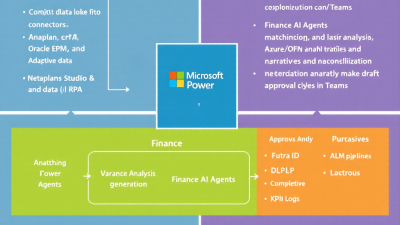
Close the Books Faster: Finance AI Agents for Continuous Close, Variance Resolution, and Reconciliations
Why Continuous Close Now: From Month-End Chaos to Always-On Finance
Finance teams don’t struggle because they’re careless; they struggle because the close process is batch by design. Work piles up, dependencies collide, and every reconciliation or flux explanation needs time you don’t have. That’s why continuous close—distributing close activities across the month and automating the repetitive bits—has moved from aspiration to necessity. As benchmarks show, the gap between top and median performers is material: APQC’s “Cycle Time to Monthly Close (business days)” highlights just how much faster leaders close compared to the pack, offering a measurable north star for transformation with AI agents and automation embedded in daily operations. See APQC’s metric for context in “Cycle Time to Monthly Close” at APQC.
The premise is simple: if you match transactions continuously, investigate anomalies when they appear, and auto-draft reconciliations and narratives as the month evolves, the end-of-period crunch evaporates. This is precisely the goal of continuous accounting, which emphasizes spreading workloads across the period and using automation to reduce the month-end bottleneck—an approach well summarized by BlackLine’s overview of continuous accounting. Today, AI and Microsoft Power Platform make this model practical for SMB and midmarket finance teams, not just the Fortune 500.
What Finance AI Agents Do: Match, Investigate, Reconcile, Narrate
Finance AI agents are specialized, governed automations that:
– Continuously match transactions across AP/AR, bank, and intercompany with rules plus ML scoring, then post auto-matches and route exceptions to humans with evidence.
– Detect variances to plan/forecast as data changes, using business-defined thresholds and materiality to trigger analysis and root-cause exploration.
– Auto-draft reconciliations—rollforward schedules, open item analysis, aging, and proposed adjustments—ready for preparer and reviewer sign-off.
– Generate flux narratives in clear business language, grounded in booked transactions, plan snapshots, and documented drivers.
This doesn’t replace your ERP/EPM or spreadsheets; it augments them. Microsoft’s own direction reinforces this trajectory. Microsoft Copilot for Finance brings AI to where finance already works—Excel, Outlook—to streamline collections, close, and variance analysis. Our agent patterns extend that power across your operating fabric with controls, audit trails, and plug-in ERP/EPM integrations.
Reference Architecture on Microsoft Power Platform
At the heart of the architecture:
– Dataverse as the operational ledger for exceptions, matches, reconciliations, variances, narratives, and evidence.
– Power Automate for event-driven ingestion, matching, routing, and approvals; Process mining to pinpoint bottlenecks and rework with Power Automate process mining.
– Copilot Studio for conversational agents that explain exceptions, draft narratives, and orchestrate remediation via actions and plugins.
– Azure OpenAI for grounded narrative generation and hypothesis testing, operating within Azure’s compliance boundary; importantly, Azure OpenAI does not use your data to train OpenAI models.
– Power Apps model-driven apps for preparers/reviewers; Teams as the human-in-the-loop center for approvals and exception dialogs.
– Microsoft Purview Audit and Dataverse auditing to produce a complete evidence trail for SOX/ICFR and external auditors; see Dataverse auditing and Power Platform audit events in Microsoft Purview.
Event Ingestion Patterns: Journal Entries, Bank Feeds, Subledgers, and EPM Snapshots
Continuous close rides on continuous data:
– Journal entries and subledgers: Trigger flows when journals post or are created in draft. Use incremental loads or webhooks where available. Normalize dimensions (Company, Ledger, Account, Cost Center, Product, Customer, Vendor) into Dataverse.
– Bank feeds: Stream bank transactions via secure file drops, APIs, or treasury platforms. Standardize descriptions, amounts, currencies, dates, and bank reference IDs.
– AR/AP events: Invoices, payments, credit memos—ingest with change stamps to allow idempotent processing and matching.
– EPM snapshots: Land plan/forecast snapshots with version/period metadata, enabling comparables for automated variance analysis.
Power Platform provides out-of-the-box connectors to major systems, accelerating this plumbing: SAP ERP (SAP ERP connector), SAP S/4HANA Cloud (S/4HANA Cloud connector), Oracle NetSuite (NetSuite connector), Dynamics 365 Finance & Operations (Dynamics 365 F&O connector), and Anaplan (Anaplan connector).
Agent Pattern 1: Continuous Transaction Matching (AP/AR, Bank, Intercompany)
Objective: Match early and often to shrink open items and reconciliation time.
– Deterministic rules first: Exact matches by amount/currency/date within tolerances; fuzzy matches across reference IDs, remittance notes, and descriptions.
– ML scoring second: When multiple candidates exist, an ML model scores likelihood using textual similarity and historical patterns; low-risk matches auto-post, borderline cases go to a queue.
– Evidence generation: For each match, store the rule or model rationale, data used, and confidence score in Dataverse. Attach supporting docs (remittances, bank PDFs).
– Intercompany: Maintain a canonical counterparty table; auto-suggest due-to/due-from entries and surface timing differences.
– Controls: Materiality thresholds and segregation by entity; preparer/reviewer workflows in Teams.
Agent Pattern 2: Variance Detection and Root-Cause Analysis (Actuals vs Plan/Forecast)
Objective: Treat variances as streaming events, not month-end surprises.
– Thresholding: Business-owned policies define absolute/relative variance triggers by account and entity.
– Diagnostics: The agent drills into subledger transactions, timing shifts, price/volume effects, and process anomalies (e.g., late postings), flagging likely drivers.
– EPM alignment: Pull plan/forecast from Anaplan or your EPM via connectors, versioned by snapshot date.
– Narrative seeds: Draft concise variance explanations with links to underlying entries and visual mini-summaries, ready for human edit. This aligns with Microsoft’s push to streamline variance analysis where finance works, as reflected in Copilot for Finance.
Agent Pattern 3: Auto-Drafted Reconciliations and Flux Narratives
Objective: Turn reconciliations and flux commentary into first-drafts you can approve.
– Balance sheet recons: Build rollforwards, list unmatched items with aging, propose adjusting entries, and generate preparer notes with evidence attachments.
– Flux narratives: For P&L and balance sheet, draft explanations by driver, tie to booked transactions and EPM targets, and cite exceptions/tasks needed to close gaps.
– Versioning: Each draft is versioned, with diffs and approvals logged, supporting auditor scrutiny under AICPA SAS No. 142 guidance on audit evidence.
– Publishing: Push approved commentary into Excel/Power BI, your disclosure templates, or EPM annotations.
Human-in-the-Loop: Approvals, Exceptions, and Materiality Thresholds in Teams
Finance stays in control:
– Adaptive Cards in Teams present matches, variances, and recon drafts for approve/adjust/reject with comments.
– Materiality policies route only what matters to humans, with automatic closure of immaterial items while logging evidence.
– Escalations and SLAs keep exceptions moving; work queues reflect preparer vs reviewer responsibilities.
Integrations That Plug Into ERP and EPM Without Disruption
Plug-and-play connectors reduce risk and time-to-value. Use the Dynamics 365 F&O, SAP, NetSuite, and Anaplan connectors mentioned earlier to:
– Ingest journals, subledger transactions, and master data.
– Post approved adjusting entries back to ERP with dual controls.
– Sync plan and forecast snapshots and push narrative annotations to EPM.
Because these are Microsoft-supported connectors on Power Platform, you gain consistency in auth, throttling, and error handling, minimizing bespoke integration debt.
Data Model Strategy: Dataverse as the Operational Ledger for Exceptions
Dataverse becomes your system of action for the close:
– Core tables: Exceptions, Matches, Variances, Reconciliations, Narratives, Evidence, Threshold Policies, Approvals, Journal Proposals, Data Snapshots.
– Dimensions: Company, Ledger, Account, Cost Center, Product, Customer, Vendor—normalized for cross-source reconciliation.
– Evidence linking: Every bot action links to its inputs, outputs, and context, supporting traceability required by auditors and controllers.
Building the Agents: Copilot Studio, Power Automate, Plugins, and Azure OpenAI
A pragmatic build stack:
– Copilot Studio: Design the conversational layer with guarded actions that call Power Automate flows and Dataverse plugins. Restrict prompts and ground answers in Dataverse/EPM/ERP data.
– Power Automate: Orchestrate ingestion, matching, variance checks, approval routing, and evidence capture. Use solution-aware cloud flows for ALM.
– Dataverse plugins/Power Fx: Implement deterministic rules and scoring logic with performance and server-side governance.
– Azure OpenAI: Use function calling to fetch facts, then generate narratives that strictly cite retrieved data. Keep prompts and model parameters versioned and stored for auditability. Reinforce compliance with Azure OpenAI data privacy and security.
Controls and Governance: DLP, Environment Strategy, ALM, and Purview
This is where many initiatives succeed or stumble:
– DLP policies: Explicitly allow required ERP/EPM connectors; block unsanctioned destinations. Segment policies by environment.
– Environment strategy: Dev/Test/Prod, each with its own DLP, secrets, and service principals. No shared makers admin in Prod.
– ALM: Use managed solutions, pipelines, and approvals for deployments. Version prompts and models alongside application code.
– Monitoring & audit: Turn on Dataverse auditing and integrate Power Platform audit events into Microsoft Purview; admins can search user and system activity in the M365 compliance portal per Audit events for Power Platform and Dataverse auditing.
Audit Readiness: Evidence Packs, Immutable Logs, and Versioned Prompts
Design for the audit:
– Evidence packs: For each reconciliation or narrative, compile the supporting entries, rules used, model versions, and approvals into a sealed package.
– Immutable logs: Use Dataverse audit logs and Purview Audit for who/what/when trails, addressing SOX/ICFR needs.
– Standards alignment: Ensure the reliability of information produced by the entity and automated tools in line with SAS No. 142. Adopt the Govern/Map/Measure/Manage lifecycle from NIST’s AI Risk Management Framework 1.0 to document risks, controls, and monitoring for your agents.
Security and Privacy: Entra ID, Least Privilege, RLS, and PII Redaction
– Identity and access: Entra ID service principals for automation; least privilege on connectors and Dataverse tables. Conditional Access for admins.
– Data security: Role-based access in Dataverse with row-level security by company/cost center. Consider field-level security for sensitive attributes.
– Data residency and LLMs: Use Azure OpenAI to keep data within Azure’s compliance boundary and avoid training on your data per Microsoft guidance.
– Privacy: Redact PII before sending to LLMs; store redaction maps securely. Apply data classification/labels via Purview where applicable.
KPIs and Value Realization: Days-to-Close, Variance Cycle Time, and Savings
Start with measures that matter and baseline them before you build:
– Days to close: Target movement toward top-quartile performance; APQC’s benchmark provides context at APQC.
– Straight-through reconciliation rate: Percent of recons closed without human edits.
– Variance cycle time: Detection to explanation and approval.
– Exception backlog and aging: Items older than X days.
– Narrative coverage: Percent of material variances with approved narratives.
– Effort saved: Hours removed from manual matching and documentation.
Feed these to a Power BI dashboard sourced from Dataverse and Purview Audit; use process mining to pinpoint rework and quantify improvements.
Implementation Blueprint: 6–8 Week Pilot to Production
A focused pilot can prove value quickly:
– Weeks 0–1: Discovery and access—select 1–2 reconciliations and one variance area; configure environments, DLP, and accounts; baseline KPIs.
– Weeks 2–3: Event ingestion and matching—stand up connectors, Dataverse schema, and a rules-first matching flow. Enable auditing and Purview integration.
– Weeks 3–4: Recons and narratives—auto-draft one reconciliation and one flux narrative; wire up Teams approvals; store evidence packs.
– Weeks 5–6: Human-in-the-loop polish and controls—materiality policies, exception queues, RLS; UAT with controllers and internal audit.
– Weeks 7–8: Production hardening—managed solutions, deployment pipelines, runbooks, KPI dashboards, handover.
Risk Mitigation: Hallucination Controls, Data Drift, and Change Management
– Hallucination control: Retrieval-augmented generation with function calling; refuse to answer without evidence; include citations to underlying data; constrain temperature.
– Data drift: Monitor matching and narrative quality; add feedback loops; review threshold policies quarterly.
– Guardrails: Content filters, prompt whitelisting, and action permissioning in Copilot Studio.
– Change management: Train preparers/reviewers, provide “explain this” experiences in Teams/Excel, and co-create policies with controllers and internal audit; align governance with NIST AI RMF.
Case Study Sketch: Mid-Market Dynamics 365 Finance + Power Platform
A mid-market manufacturer on Dynamics 365 Finance implements:
– Ingestion via the Dynamics 365 F&O connector for journals/subledgers and a secure bank feed for statements.
– Dataverse hosts exceptions, matches, and reconciliations; Teams approvals handle materiality-based routing.
– Azure OpenAI drafts flux narratives grounded in ERP actuals and monthly Anaplan snapshots via the Anaplan connector.
– Purview Audit and Dataverse auditing create end-to-end evidence packs for internal audit.
Within two quarters, the team shifts 60–70% of reconciliation prep to straight-through processing, variance explanations arrive within hours of posting, and “month-end” becomes “month-always.”
Checklist: Are You Ready for Continuous Close?
– You can access journals, subledgers, bank data, and plan snapshots via approved connectors.
– Controllers and internal audit are engaged on thresholds, approvals, and evidence expectations.
– DLP, environment strategy, and Purview Audit are in place.
– Dataverse roles map to finance responsibilities with RLS.
– You’ve picked one reconciliation and one variance area to pilot.
– KPI baselines are captured and visible.
Next Steps: Start with One Reconciliation, Expand to Variance and Narrative
– Pick a reconciliation with high volume and clear rules (cash, payroll clearing, GR/IR).
– Land the data, enable auditing, and build the first auto-draft with Teams approvals.
– Add variance detection for a material P&L line and auto-draft the narrative.
– Scale to intercompany matching and roll the approach across entities.
Continuous close isn’t a moonshot—it’s a pattern. With Power Platform, out-of-the-box ERP/EPM connectors, and governed AI agents, you can compress close cycles, raise confidence, and make audits calmer. If you’d like an implementation blueprint tailored to your systems and controls, B. Cobra Systems, LLC can help you stand up a 6–8 week pilot that proves the value, de-risks governance, and sets you on the path to always-on finance.






