
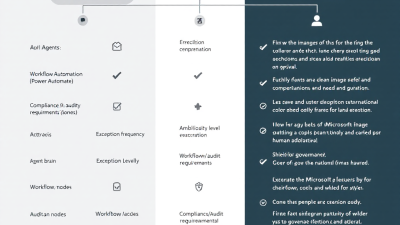
# Agentic AI vs. Workflow Automation: When AI Agents Win (and When Power Automate Is Better)
Modern businesses aren’t suffering from a lack of automation tools—they’re suffering from a lack of *clarity* about which tool to use **when**. The last decade trained us to think in workflows: triggers, conditions, approvals, and “if X then Y.” Now we’re adding something fundamentally different: systems that can *reason*, *choose*, and *adapt*—sometimes without being explicitly told every step.
That’s why this comparison matters right now. Gartner predicts that **by 2028, 15% of day-to-day work decisions will be made autonomously by agentic AI** (up from 0% in 2024), and **33% of enterprise apps will include agentic AI** (up from <1% in 2024) via their agentic AI predictions press release: Gartner’s agentic AI predictions. Translation: agents are moving from “cool demo” to “default pattern,” and teams need a decision framework that doesn’t end with “it depends.”
This post gives you that framework—especially if you’re an SMB, a developer, or a Power Platform owner trying to build automation that’s fast **and** governable.
—
## Why this comparison matters now (and what “agentic” actually means)
Traditional automation is great at executing known paths. But more and more work isn’t a known path—it’s a messy series of judgments:
– “Does this email mean the customer is canceling, or just frustrated?”
– “Which of these five systems has the most current shipping status?”
– “Is this request allowed under policy, and if not, what’s the closest compliant alternative?”
Agentic AI is designed for that gray area. “Agentic” means the system can **plan** steps, **select tools**, **iterate**, and **adapt** to new information—rather than following one pre-authored route.
This is also why agentic AI is being pulled into enterprise software so fast: software is full of micro-decisions. Gartner’s forecast that agentic AI will become embedded in applications reflects a shift from “automation executes” to “automation decides” in a bounded way (Gartner’s agentic AI predictions).
Meanwhile, the economic incentives are real. McKinsey estimates generative AI could create **$2.6T–$4.4T** in annual value across use cases (McKinsey on the economic potential of generative AI). But value shows up unevenly: AI shines where variability is high and human time is expensive; workflows shine where reliability and auditability matter.
—
## Quick definitions: AI agent, workflow automation, and the hybrid pattern
### AI agent (agentic AI)
An AI agent is a system that can:
– Interpret ambiguous input (natural language, documents, messy context)
– Decide what to do next (plan/route)
– Take actions via tools (APIs, connectors, RPA, database operations)
– Validate outcomes and try again (within guardrails)
Think: “Given the goal, figure out the steps—and execute them.”
### Workflow automation (Power Automate-style)
Workflow automation is deterministic orchestration: triggers → actions → conditions → approvals. Microsoft positions Power Automate as a way to automate **“repetitive tasks and workflows”** across services (Microsoft Learn: Power Automate overview). The point is standardization: the path is known, and you want it to run the same way every time.
Think: “Given the event, run the steps exactly as designed.”
### The hybrid pattern (best-of-both)
Hybrid means:
– **Agent decides** *what* should happen (interpretation, triage, classification, reasoning, proposal)
– **Workflow executes** *how* it happens (API calls, record updates, approvals, logging, notifications)
This pattern is increasingly natural in Microsoft’s ecosystem because Copilot Studio can build agents that take actions through connectors and flows, enabling “agent + workflow” solutions (Microsoft Learn: Copilot Studio documentation).
—
## Decision framework: 7 criteria to choose the right approach (ambiguity, exceptions, compliance, determinism, latency, cost, data access)
Use these criteria as a scorecard. You’ll rarely get a perfect “agent-only” or “flow-only” answer—most production systems end up hybrid.
### 1) Ambiguity of inputs (low vs. high)
– **Low ambiguity** (structured forms, known schemas, fixed choices) → **Workflow**
– **High ambiguity** (emails, PDFs, chat transcripts, “figure it out” requests) → **Agent or Hybrid**
If humans currently spend time *interpreting* before acting, it’s a strong signal for agentic AI.
### 2) Exception rate and variation (rare vs. constant)
– **Low exception rate** → Workflow scales beautifully
– **High exception rate** → Agents shine because they can adapt without you hardcoding 47 branches
A practical heuristic: if your flow has become a spaghetti bowl of conditions, you’re already paying the “exceptions tax.”
### 3) Compliance, auditability, and explainability requirements
When you must answer:
– “Who approved this?”
– “Which policy controlled the decision?”
– “What exactly changed in the system of record?”
…then deterministic workflows tend to win. Power Platform governance features—like **environments** and **data loss prevention (DLP) policies**—help enforce boundaries and controls (Microsoft Learn: Power Platform DLP policies).
For AI systems, you’ll also want a risk lens. NIST highlights risk concerns like **validity/reliability, safety, security, accountability, transparency, explainability, privacy, and fairness**—all relevant when an agent is “deciding” anything meaningful (NIST AI Risk Management Framework (AI RMF 1.0)).
### 4) Determinism and correctness tolerance
Ask: “Is ‘mostly right’ acceptable?”
– If **no** (billing, payroll, compliance filings, entitlement changes) → **Workflow**
– If **yes, with review** (drafting, triage, routing, summarization, recommendations) → **Agent + human-in-the-loop**
### 5) Latency and user experience needs
– If it must respond in near-real time with consistent performance → **Workflow**
– If a 5–30 second “thinking step” is acceptable → **Agent or Hybrid**
Agents can be fast, but reasoning + tool calls + retries can introduce variable latency.
### 6) Cost model and scalability
Workflows often have predictable run costs. Agents introduce model usage costs, plus indirect costs: evaluation, monitoring, prompt/tool governance, and remediation when they fail in new ways.
Rule of thumb:
– Use agents when they reduce expensive human hours (or unlock revenue) enough to justify variance.
– Use workflows when you mainly need cheap, reliable throughput.
### 7) Data access, integration breadth, and toolability
If the work is “move data between systems and keep them in sync,” workflows are often the cleanest solution—especially given Power Platform’s connector ecosystem (Microsoft Learn: Connectors overview).
If the work is “decide *what* to do across systems,” agents help—but should still use well-defined tools (connectors/flows/APIs) rather than raw, open-ended access.
—
## Where AI agents clearly win: exception-heavy, multi-system, unstructured work (real SMB + enterprise examples)
Agents win when the job is essentially: **interpret → decide → coordinate**.
### Example 1 (SMB): Customer email triage + resolution proposal
**Problem:** Shared inbox chaos. Emails arrive with screenshots, partial context, frustrated tone, and vague asks.
**Agent approach:** An agent reads the email, identifies intent (refund, shipping issue, technical problem), pulls customer/order context, drafts a response, and proposes next steps.
**Why agent wins:** High ambiguity + high variation. Writing and interpretation are the bottleneck.
### Example 2 (SMB): AP exception handling (invoice mismatches)
**Problem:** Most invoices match POs, but the painful 15% don’t—missing PO numbers, wrong quantities, unclear shipping terms.
**Agent approach:** Agent extracts invoice fields, compares against ERP records, flags mismatches, and suggests likely fixes (e.g., “This looks like PO-10392 based on vendor + amount + date”).
**Why agent wins:** Exceptions are the entire problem; deterministic automation handles the easy 85% already.
### Example 3 (Enterprise): Multi-system incident coordination
**Problem:** An incident starts as a Slack message, grows into tickets, logs, customer updates, and postmortems.
**Agent approach:** Agent correlates signals, opens/updates tickets, pings the right on-call group, drafts comms, and maintains a living incident timeline.
**Why agent wins:** The path depends on context and changes as new information arrives.
These are the kinds of “day-to-day decisions” Gartner is pointing to—work that isn’t just execution, but ongoing judgment (Gartner’s agentic AI predictions).
—
## Where classic workflows win: repeatable, compliance-heavy, SLA-driven processes
Workflows win when the job is: **detect event → run known steps → record outcome**.
### Great workflow candidates
– User provisioning/deprovisioning checklists
– Invoice routing based on thresholds and departments
– SLA-driven ticket escalation rules
– Regular data syncs between CRM/ERP/accounting
– Compliance tasks that require strict evidence trails
Microsoft explicitly emphasizes Power Automate for **repetitive tasks and workflows**—the known-path world (Microsoft Learn: Power Automate overview).
### Why Power Automate is often better here
– Predictable execution
– Clear audit logs (what ran, when, with what inputs/outputs)
– Strong admin controls (environments, DLP boundaries, etc.) (Microsoft Learn: Power Platform DLP policies)
– Easy to enforce approvals and sign-offs (Microsoft Learn: Approvals in Power Automate)
In regulated environments, “boring and provable” beats “clever and probabilistic” almost every time.
—
## The sweet spot: Orchestrator + agent + human-in-the-loop (Power Platform reference architecture)
The most resilient approach is usually:
1. **Workflow orchestrator (Power Automate)**
Owns triggers, state, retries, timeouts, and logging. Think of it as the air-traffic controller.
2. **Agent (Copilot Studio or custom)**
Handles interpretation, classification, summarization, planning, and recommendation.
3. **Human-in-the-loop approvals**
Humans approve high-risk actions, exceptions, or policy-sensitive decisions—implemented with Power Automate approvals patterns (Microsoft Learn: Approvals in Power Automate).
4. **Systems of record (Dataverse + line-of-business apps)**
Store canonical data, decisions, and evidence. Dataverse becomes your “truth layer” so the agent isn’t inventing state from a chat thread.
This architecture ages well because it mirrors where the industry is heading: agentic capabilities embedded into apps, but still anchored by enterprise workflow controls (Gartner’s agentic AI predictions).
—
## Implementation patterns in Microsoft Power Platform (Power Automate, Copilot Studio, Dataverse, connectors, approvals)
Below are patterns we implement frequently at B. Cobra Systems, LLC when teams want agentic power without losing operational control.
### Pattern A: “Agent does the thinking, Flow does the doing”
– **Copilot Studio agent** gathers intent and context, then calls a **Power Automate flow** to execute a bounded action (create case, update record, send email, post Teams message).
– Flows use connectors for integrations across Microsoft and third-party tools (Microsoft Learn: Connectors overview).
– The flow returns a structured result to the agent (“success,” “failed,” “needs approval,” “missing data”).
Why it works: you keep execution deterministic while letting the agent handle messy inputs.
### Pattern B: “Flow routes, agent resolves exceptions”
– A flow processes routine cases deterministically.
– When it hits an exception (missing fields, ambiguous request, policy conflict), it hands off to the agent for analysis and a proposed resolution.
– The agent produces a recommendation + confidence + cited context (from internal data sources), and the flow either:
– auto-executes low-risk fixes, or
– triggers approval for high-risk fixes.
### Pattern C: “Approvals as the safety valve”
Power Automate’s approvals are ideal for:
– threshold-based financial decisions
– policy exceptions
– customer-impacting actions (refunds, cancellations)
– HR/IT actions (access changes)
This is not bureaucracy—it’s how you keep agentic systems from turning “helpful” into “headline.” Microsoft provides guidance and patterns for implementing human approvals (Microsoft Learn: Approvals in Power Automate).
### Pattern D: “Dataverse as decision memory + audit spine”
Use Dataverse tables to store:
– the request
– the agent’s proposed plan
– tool calls executed (by flows)
– human approvals and timestamps
– final outcomes and rollback references
This turns your solution from a chat-based experiment into an operational system.
—
## Governance & risk controls: logging, audit trails, permissions, prompt/tool policies, rollback strategies
If you’re deploying agentic AI in production, governance is not optional—it’s the feature that prevents a clever assistant from becoming a chaotic coworker.
### Anchor governance in Power Platform controls
Power Platform provides admin controls like environments and DLP policies that help prevent risky data movement and enforce connector boundaries (Microsoft Learn: Power Platform DLP policies). This is one of the strongest arguments for implementing agentic solutions *inside* Power Platform rather than as a pile of scripts.
### Apply “Responsible AI” guardrails for Copilot/AI features
Microsoft’s admin guidance emphasizes governance, security, and responsible AI practices for Copilot/AI in Power Platform (Microsoft Learn: Copilot in Power Platform admin guidance). In practice, that means you should treat agent capabilities like privileged automation—not like a chatbot.
### Use NIST as your risk checklist
NIST’s AI RMF gives you a pragmatic lens for production readiness: reliability, safety, accountability, transparency, privacy, and more (NIST AI Risk Management Framework (AI RMF 1.0)). Map these to controls such as:
– **Logging & traceability:** store prompts, tool invocations, and outcomes (with redaction rules)
– **Least privilege:** the agent should not have broad access “just in case”
– **Tool allowlists:** only approved connectors/flows/actions
– **Rollback strategies:** if an agent updates records, store prior state and provide an automated revert path
– **Human approval gates:** required for high-impact actions
– **Evaluation & monitoring:** measure error types, not just success rates
—
## Build vs buy guidance for SMBs: pilot scoping, ROI metrics, and a 30–60 day rollout plan
SMBs win by being focused. Don’t start with “we want an AI agent.” Start with “we want to remove *this* bottleneck.”
### What to pilot (ideal first projects)
Pick a workflow where:
– ambiguity is high,
– the current process is manual,
– failure is recoverable,
– and humans already review outcomes.
Inbox triage, drafting, knowledge lookup, and exception queues are great early wins.
### ROI metrics that actually matter
Track:
– **minutes saved per case** (not “AI messages sent”)
– **exception resolution time**
– **handoff rate to humans**
– **approval cycle time**
– **error rate / rework rate**
– **unit cost per resolved item** (agent+workflow vs. manual)
McKinsey’s macro value numbers (McKinsey on the economic potential of generative AI) are compelling, but your CFO will care about *your* queue, *your* cycle time, and *your* margin.
### A practical 30–60 day rollout plan
**Days 1–10: Choose the use case + boundaries**
– Define “done” and “don’t do”
– Identify systems of record and required approvals
– Decide what the agent can *recommend* vs. *execute*
**Days 11–30: Build the hybrid skeleton**
– Power Automate orchestrator + logging
– Copilot Studio agent for interpretation/triage (Copilot Studio docs)
– Connector-based actions for deterministic steps (Power Platform connectors)
– Approvals for high-impact actions (Approvals in Power Automate)
**Days 31–60: Harden**
– Add DLP/environment strategy (DLP policies)
– Add rollback paths and escalation
– Measure, tune prompts/tools, and formalize monitoring
—
## Checklist: “Should this be an agent, a flow, or both?” (copy/paste decision sheet)
Copy/paste this into your backlog ticket:
### Inputs & variability
– [ ] Inputs are structured and consistent → **Flow**
– [ ] Inputs are unstructured/ambiguous (email/docs/chat) → **Agent or Hybrid**
– [ ] Exceptions are rare (<5–10%) → **Flow**
- [ ] Exceptions are common or expensive → **Agent or Hybrid**
### Risk & compliance
- [ ] Must be fully deterministic/correct every time → **Flow**
- [ ] Can tolerate probabilistic output with review → **Hybrid**
- [ ] Requires strong audit trail and data boundaries → **Flow or Hybrid with strict logging + DLP** (DLP policies)
– [ ] Decision impacts security/finance/legal → **Hybrid with approvals** (Approvals)
### Execution & integrations
– [ ] Work is mostly “call APIs / move data / sync records” → **Flow** (connectors)
– [ ] Work is “decide what to do across systems” → **Agent or Hybrid**
– [ ] Needs predictable latency and throughput → **Flow**
– [ ] Needs judgment and adaptive planning → **Agent or Hybrid**
### Recommended outcome
– If you checked mostly “Flow” → build in **Power Automate** (Power Automate overview)
– If you checked mostly “Agent” → build in **Copilot Studio**, but wrap execution in tool boundaries (Copilot Studio)
– If it’s mixed (most real-world cases) → **Hybrid: Orchestrator + Agent + Approvals**
—
If you want that second pass: I can add a table that maps **20–30 common business processes** (AP, AR, service desk, onboarding, sales ops, marketing ops) to **Agent / Flow / Hybrid**, plus a set of SMB-friendly KPIs and acceptance tests you can use to decide when an agent is “safe enough” to move from recommendation to execution.






