
Autonomous CSAT Guardians: AI Agents for Customer Service Automation That Catch Silent Churn
The Hidden Cost of Silence: Why CSAT Slips Before Churn
Silence is expensive. Most customers who decide to leave never raise their hand—tickets cool off, threads go quiet, and then a cancellation arrives out of the blue. In today’s market, 80% of customers will switch brands after a bad service experience, often without a post-mortem or a chance to make it right. That “silent churn” risk is real and immediate, as underscored by the latest customer research from Salesforce.
The core driver isn’t magic: it’s effort. If your customers have to chase updates, explain their issue multiple times, or wait for someone to notice an SLA timer turning red, loyalty erodes. Years of research show that lowering customer effort—fewer handoffs, faster clarity, proactive outreach—is a stronger predictor of loyalty than “delight.” As Gartner’s CEB research summarized in HBR puts it, high-effort experiences strongly predict churn.
The good news: with Microsoft Power Platform and AI, you can instrument your service operations to detect risk early and take action before the customer has decided to walk. Proactive service isn’t just a nice-to-have; it measurably improves experience metrics, and customers prefer companies that reach out with fixes before they notice problems, according to Gartner.
From Chatbots to CSAT Guardians: What Autonomous AI Actually Adds
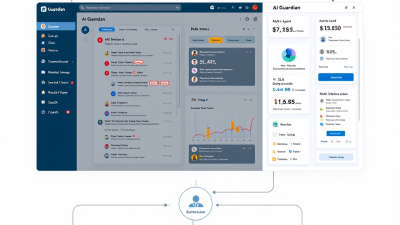
Traditional chatbots deflect FAQs. CSAT Guardians go hunting for risk. They don’t wait for an angry message—they monitor omnichannel tickets, sentiment trends, backlog, SLA drift, and reopen patterns. When they detect a case at risk, they orchestrate the right response: a human callback, an internal swarm, a goodwill credit, a knowledge push, or a tailored follow-up.
Why now? Because the economics finally make sense. By 2026, conversational AI in contact centers is forecast to reduce agent labor costs by $80 billion, per Gartner. And generative AI is already lifting frontline productivity by 30–45% in tasks like summarization, sentiment analysis, and drafting outreach, according to McKinsey. When you combine Dynamics 365 Customer Service, Dataverse, Power Automate, and Azure OpenAI, you get always-on AI agents that raise your throughput without adding headcount.
Reference Architecture on Microsoft Power Platform (Dynamics 365, Dataverse, Power Automate, Azure OpenAI)
At a glance:
– System of record: Dynamics 365 Customer Service on Dataverse for cases, conversations, SLAs, entitlements, knowledge, and customer profiles.
– Event fabric: Dataverse change feeds and Power Automate cloud flows acting on “When a row is added, modified, or deleted” triggers for Cases, Activities, Conversations, and SLA KPI Instances. See the Dataverse trigger capability in Microsoft Learn.
– AI analysis: Azure AI Language for sentiment and opinion mining on omnichannel text streams, plus Azure OpenAI for summarization, classification, and next-best-action recommendations. Review the Azure AI Language sentiment APIs and Azure OpenAI Service.
– Real-time signals: Dynamics 365 real-time sentiment in Omnichannel and sentiment-driven routing and alerts, directly usable in rules, routing, and analytics. Details in Microsoft Learn.
– Action orchestration: Power Automate calls to Dataverse, Azure Functions, Teams, email/SMS channels, and Dynamics swarming. SLA risk detection leverages D365 KPI timers with “Warning” and “Failure” events, which can trigger flows. See SLA timer docs.
– Human escalation: Swarming and AI-based routing to pull the right experts in, shrinking time-to-resolution for at‑risk cases. Explore Customer Service swarming.
Multi‑Agent Pattern: Listener, Triage, Resolver, Concierge, Coach, and Governance
– Listener: Subscribes to Dataverse and omnichannel events. It ingests case updates, message sentiment, SLA KPI ticks, and customer profile changes. It also enriches signals with enterprise context (account health, ARR, tier, entitlements).
– Triage: Scores risk in real time. It blends signals—negative sentiment trends, wait time, SLA drift, reopen probability—and outputs a risk level and rationale. It writes a RiskAssessment record to Dataverse for auditability.
– Resolver: Proposes and executes next best actions: assign to swarming queue, schedule callback, draft a personalized update, or trigger a knowledge push. It drafts content using Azure OpenAI with a retrieval step to ensure grounded, brand-safe responses.
– Concierge: Coordinates proactive outreach and goodwill. It automates approvals (e.g., a credit request) and books callbacks, while maintaining SLAs and customer preferences for channel and time.
– Coach: Supports agents in real time with summaries, tone guidance, and suggested replies. This is where the 30–45% productivity lift in content generation and summarization from McKinsey becomes tangible for every ticket.
– Governance: Enforces guardrails: consent checks, PII redaction, allowed actions by risk tier, and model/flow usage logs for audit and continuous improvement.
Signals to Watch: Sentiment, Wait Time, SLA Drift, Reopen Rate, Escalation Density
– Sentiment: Combine D365 Omnichannel real-time sentiment scores with Azure AI Language analysis for emails and social. Track trend, volatility, and last-3-message delta to catch cooling or escalating tone. See Omnichannel sentiment and opinion mining.
– Wait time: Minutes since last human reply and since last customer reply; compare to channel benchmarks. Faster first response correlates strongly with higher CSAT, per Zendesk’s 2024 trends.
– SLA drift: A live view of KPI timers versus targets (first response, resolve, next action). Watch for “Warning” thresholds—trigger callbacks or swarms before “Failure.” Implement with D365 SLA KPI Instances and Power Automate triggers; see SLA docs.
– Reopen rate: Cases reopened in the last 30/60/90 days by customer or product. High reopen probability suggests unclear fixes or brittle workarounds—prime for a proactive follow-up with a better solution.
– Escalation density: Number of escalations per account or product per month. Combine with ARR/tier to prioritize retention-critical interventions.
– Bonus signals: Multi-channel silence (customer stopped replying), repeated knowledge article bounces, high-effort language (“I’ve already explained this”), and bad handoff patterns—all strong churn predictors, consistent with Gartner’s effort-reduction findings.
Proactive Playbooks That Save Accounts (Nudge, Escalate, Offer Goodwill, Schedule Callback, Knowledge Push)
– Nudge: If no agent reply within target FRT, the Resolver drafts a status update, proposes next steps, and sets expectations. This compresses FRT and protects CSAT, aligning with FRT benchmarks.
– Escalate: On SLA warning, negative sentiment, or high ARR + high escalation density, the Concierge triggers Customer Service swarming with a clear summary, owner, and due-by. See swarming.
– Offer Goodwill: For high-effort journeys (reopens, multi-handoffs), propose a goodwill credit, free month, or priority support token. This reduces perceived effort and preempts churn, supported by effort-reduction research. Approvals route via Power Automate with guardrails.
– Schedule Callback: If sentiment is deteriorating or email threads stall, offer a scheduled call in the customer’s time zone, with a confirmed agenda and the right SME. This lowers friction and creates momentum.
– Knowledge Push: When a known incident or product issue emerges, proactively notify affected customers with a short summary, workaround, and expected fix timeline. Customers value proactive communication, as Gartner notes.
Human‑in‑the‑Loop: Approvals, Guardrails, and Responsible AI Policies
– Tiered autonomy: Define which actions agents may take unilaterally (e.g., status nudges, scheduling) and which require approval (credits, SLA overrides). Route approvals in Power Automate with Dataverse-stored decisions.
– Content governance: All customer-facing drafts include source citations (internal knowledge links), tone checks, and an opt-out line. Agents surface rationale in the case timeline for transparency.
– Safety and ethics: Enforce Responsible AI principles: minimize bias in triage, honor consent and communication preferences, and store prompts/outputs for audit. Keep humans in the loop for edge cases and sensitive accounts.
– Data protection: Redact PII in prompts, segregate logs, and apply DLP policies across environments. Maintain immutable action logs—what was recommended, by which model, who approved, and what was sent.
Implementation Blueprint: 30/60/90 Days from Pilot to Scale
Days 0–30: Prove the signal loop
– Connect omnichannel data and enable D365 real-time sentiment.
– Stand up a Power Automate Listener flow on Case, Conversation, and SLA KPI changes. See Dataverse triggers.
– Use Azure AI Language for sentiment/opinion mining on email/social backlog; log scores to Dataverse.
– Build the Triage model (rules + lightweight Azure OpenAI classification) to produce a RiskAssessment record.
– Pilot two playbooks: Nudge and Schedule Callback. Measure impact on FRT and sentiment recovery.
Days 31–60: Orchestrate action
– Add Escalate and Knowledge Push playbooks; integrate swarming for high-risk cases. See swarming.
– Introduce Concierge approvals for Goodwill with tiered thresholds.
– Implement Resolver summaries using Azure OpenAI + retrieval from your knowledge base to draft updates grounded in policy.
– Instrument dashboards for SLA drift, risk funnel, and recovery rates.
Days 61–90: Industrialize and scale
– Expand to additional channels and geographies; localize templates.
– Automate continuous learning: feed outcomes back to adjust triage thresholds and playbook selection.
– Harden governance: action logs, PII redaction, prompt libraries, and environment strategy.
– Scale ROI: Roll to more queues and products; tie retention and cost metrics to financial outcomes.
Data & Integration: Omnichannel, Knowledge, CRM, and RAG for Accurate Answers
– Omnichannel: Stream chat, voice transcripts, email, social DMs, and case notes into Dataverse. Leverage D365’s built-in real-time sentiment for live conversations (docs), and Azure AI Language for asynchronous text (docs).
– Knowledge: Expose Dynamics knowledge articles, release notes, incident comms, and policy content as retrievable chunks with metadata (product, version, audience).
– CRM context: Pull ARR, tier, SSOs, contract SLAs, and previous escalations. Personalize outreach—70% of consumers expect companies to understand their needs; 73% expect better personalization as tech advances, per Salesforce.
– Retrieval-Augmented Generation (RAG): Before drafting outreach, the Resolver retrieves relevant content, cites it, and composes a grounded response with Azure OpenAI (service overview).
– Action plumbing: Power Automate executes updates, sends messages, books meetings, and logs outcomes. Triggers on SLA KPI instances enable “save before breach” patterns (SLA docs).
KPIs & ROI: Retention Uplift, CSAT, FRT/ART, Backlog Burn‑Down, Cost per Case
– Retention uplift: Change in churn rate for accounts with at‑risk interventions vs. control. Silent churn caught early translates to revenue preserved.
– CSAT and effort: CSAT, CES (Customer Effort Score), sentiment recovery rate, and “time to reassure.”
– Speed: First Response Time (FRT) and Average Resolution Time (ART) by channel. Faster FRT correlates with higher CSAT per Zendesk.
– Backlog and quality: Backlog burn-down, reopen rate reduction, escalation density.
– Cost: Cost per case and cost-to-serve by tier. AI-driven deflection and automation reduce effort and labor; contact center AI is forecast to cut labor costs by $80B by 2026 (Gartner).
– Business case: Many organizations automating with Dynamics 365 Customer Service report faster resolutions, improved CSAT, and cost savings—Forrester’s TEI study cites a 3-year ROI of 131% (Forrester).
Case Snapshot: SMB Support Team on Power Platform Cuts Silent Churn by 18%
An anonymized mid-market SaaS provider engaged B. Cobra Systems to pilot CSAT Guardians in Dynamics 365. We connected Omnichannel, enabled real-time sentiment, and deployed three playbooks (Nudge, Escalate, Goodwill) over 60 days for their B2B Premier queue.
Results after 90 days:
– Silent churn down 18% among at‑risk accounts (fewer surprise cancellations with open tickets).
– CSAT +9 points; CES improved by 11%.
– FRT cut by 42% on email; SLA breach rate halved on Priority cases.
– Cost per case decreased 16% through automation and swarming efficiency.
How: Risk scoring combined sentiment, SLA drift, and escalation density. The Resolver drafted proactive updates with Azure OpenAI grounded in knowledge, while Concierge automated callbacks and approvals. Governance logged every action in Dataverse for audit.
Build vs. Buy: Native Dynamics + Copilot vs. Custom Agents on Power Platform
– Start with native: Dynamics 365 Customer Service + Copilot provide out-of-the-box summarization, reply suggestions, real-time sentiment, routing, and knowledge search—fast value, low lift.
– Go farther with custom agents: If you need multi-agent orchestration, custom risk scoring, tiered approvals, goodwill automation, and cross-system actions, compose Listener–Triage–Resolver–Concierge–Coach in Power Automate with Azure OpenAI and Dataverse. This is where “AI agents for customer service automation” become “AI agents transforming business operations.”
– Hybrid approach: Use Copilot for the Coach role and custom flows for risk detection and proactive playbooks.
Licensing & TCO Considerations (Power Platform, Azure AI, Channels)
– Dynamics 365 Customer Service licenses (and Omnichannel add-on for live channels).
– Power Automate: per-flow or per-user plans for always-on orchestration.
– Azure consumption: Azure OpenAI tokens and Azure AI Language transactions sized to message volume and summarization cadence.
– Channel costs: SMS/WhatsApp/email providers, telephony minutes, calling plans.
– Cost control: Cache and reuse summaries, trigger only on meaningful deltas, throttle AI calls on low-risk items, and run batch analytics off-peak.
Security & Compliance: PII Redaction, Audit Trails, and Action Logs
– PII handling: Mask or strip PII before sending text to AI endpoints. Maintain explicit allowlists for fields that can leave Dataverse.
– Environment strategy: Separate dev/test/prod with DLP policies; restrict connectors and outbound actions.
– Auditability: Log every recommendation, approval, message, and outcome to Dataverse with timestamps and agent IDs (human or autonomous).
– Access controls: Use least-privilege service accounts for flows and agents, with granular Dataverse security roles.
– Data residency and retention: Align storage and retention with regional regulations and internal policies.
Checklist: Your First Autonomous Save in Two Weeks
– Connect signals:
– Enable D365 real-time sentiment and SLA KPI timers.
– Create a Dataverse table for RiskAssessment + ActionLog.
– Build the loop:
– Power Automate trigger on Case and SLA KPI Instance changes.
– Azure AI Language sentiment on last customer message; store score and trend.
– Simple triage rules: sentiment ≤ negative, wait time > target, or SLA warning = Risk = High.
– Act with guardrails:
– Playbook “Nudge” auto-drafts a personalized update via Azure OpenAI with RAG.
– Route approvals for any credits via Teams adaptive card to a supervisor.
– Log every action to ActionLog.
– Measure:
– Dashboard: FRT, SLA warning saves, sentiment recovery, and first 10 “saves.”
– Review:
– Weekly review of drafts, outcomes, and threshold tuning with service leadership.
FAQ: Do AI Agents Replace Reps? How Do They Learn? What About Edge Cases?
– Do AI agents replace reps? No—they remove toil and catch risk early so your experts spend time solving, not polling inboxes. As McKinsey notes, the big gains are in summarization, drafting, and analysis—force multipliers for humans.
– How do they learn? Start rules-first with clear thresholds, then add supervised tweaks using case outcomes. Use retrieval to ground content in your knowledge, and update prompts as policies evolve.
– What about edge cases? Define escalation paths by risk tier; when signals conflict or consequences are high, require human approval. The Governance agent enforces this by design.
– Will customers accept AI outreach? Proactive, helpful messages win favor, especially when they lower effort and arrive before issues escalate—backed by Gartner. Always disclose a path to a human and respect preferences.
CTA: Launch Your CSAT Guardians with B. Cobra Systems, LLC
Ready to stop silent churn before it starts? B. Cobra Systems designs and deploys autonomous CSAT Guardians on Microsoft Power Platform—wired into Dynamics 365, grounded by your knowledge, governed for safety, and measured for ROI. Whether you want to extend native Copilot or orchestrate custom multi-agent flows, we’ll help you stand up a pilot in weeks and scale with confidence.
Let’s turn “at risk” into “handled.” Contact B. Cobra Systems, LLC to launch your first save.






