
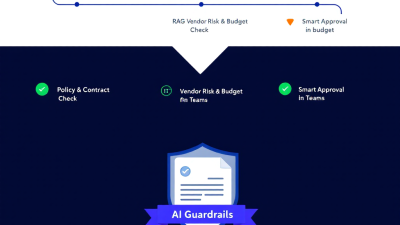
Autonomous Procurement Guardrails: AI Agents That Reduce Maverick Spend and Cycle Time
The Cost of Maverick Spend: Why Traditional Controls Miss the Edge
Maverick buying—employees purchasing outside of agreed processes or contracts—costs more than just a bruised policy. It breaks volume leverage, invites risk, and explodes cycle time when finance teams have to chase exceptions after the fact. As defined by Gartner, maverick buying is spend that occurs outside approved channels and agreements, a persistent leak in even mature procurement programs (Gartner IT Glossary – Maverick Buying). Meanwhile, poor contract management can drain up to 9.2% of annual revenue, according to World Commerce & Contracting—losses that compound when PR-to-PO flows don’t validate terms, pricing, and obligations up front (WorldCC research). It’s no surprise that digital procurement, analytics, and risk remain top priorities for CPOs who want control and speed, not one at the expense of the other (Deloitte Global CPO Survey).
Traditional controls are centralized and after-the-fact: quarterly audits, BI dashboards, and email approvals that live everywhere but the transaction. The result is maverick spend at the edge—well-meaning employees who just need to buy a thing now—and back-office teams who inherit the mess. The answer is an autonomous guardrail that sits in the flow of work, makes compliant choices the easy choices, and explains every decision.
What Is an Autonomous Procurement Guardrail Agent?
An autonomous procurement guardrail agent is an ERP-agnostic AI pattern that continuously supervises your PR-to-PO process, validates each step against policy, contract, budget, and vendor risk—and then triggers smart approvals that are fast, explainable, and auditable. It doesn’t replace your ERP or procurement system; it wraps them with event-driven intelligence and human-in-the-loop controls.
Key capabilities:
– At the edge: Intercepts purchase requests where they originate (ERP, intake app, or Teams) and applies policies before bad data hardens into a PO.
– Policy brain with RAG: Grounds decisions in your approved contracts, procurement policies, and playbooks via retrieval-augmented generation, returning citations for every recommendation (Azure OpenAI “Use your data”; Azure AI Search RAG).
– ERP-agnostic orchestration: Reads and writes to Dynamics 365, SAP, and NetSuite through native connectors to supervise and document every decision (Dynamics 365 FO connector; SAP connector; NetSuite connector).
– Explainable approvals: Approvers see a compact summary, side-by-side diffs, risks, and policy citations directly in Teams with a full audit trail (Power Automate Approvals; Approvals app in Teams).
– Risk and control checks: Segregation of duties (SoD), budget guardrails, and supplier compliance (including sanctions) run automatically with documented rationale (Dynamics 365 SoD; Budget control; OFAC Sanctions List Search).
– Audit-first design: All actions, prompts, recommendations, and approvals are logged to Dataverse and Microsoft Purview for end-to-end traceability (Dataverse auditing; Microsoft Purview Audit).
Reference Architecture on Power Platform (Dataverse, Power Automate, Copilot Studio/Azure OpenAI)
This reference architecture anchors on Microsoft Power Platform and Azure AI to be ERP-agnostic yet deeply integrated:
– System of record and audit: Dataverse stores PR/PO guardrail records, policy snapshots, LLM rationales, embeddings metadata, approval outcomes, and exception justifications. Table-level and field-level audits are enabled (Dataverse auditing).
– Orchestration: Power Automate runs event-driven flows that react to ERP business events, perform checks, call the policy brain, and trigger approvals (Dynamics 365 business events).
– Policy brain: Copilot Studio/Azure OpenAI with “Use your data” over an Azure AI Search index of contracts, policies, supplier playbooks, and FAQs for grounded, citation-rich answers (Use your data; RAG with Azure AI Search).
– Human-in-the-loop: Teams approvals and Adaptive Cards present summaries, diffs, risks, and policy citations for one-click decisions within SLA (Adaptive Cards; Approvals).
– ERP connectivity: Native connectors for Dynamics 365, SAP, and NetSuite retrieve PR/PO, vendor, and budget data and write back status and notes (Dynamics 365 FO; SAP; NetSuite).
– Governance and security: Power Platform data loss prevention policies enforce which connectors can be used together, reducing data exfiltration risk (Power Platform DLP). Microsoft Purview captures audited activities across Power Automate, including creation, updates, and runs (Audited activities).
– Responsible AI: Azure OpenAI is deployed with content filtering and transparency guidelines (Transparency note; Azure AI Content Safety).
Optional components include Azure Functions for custom transformations, Azure Key Vault for secrets, and a Dataverse Power App for policy management and analytics.
The Policy Brain: RAG over Contracts, Policies, and Playbooks
AI is only as trustworthy as the sources it cites. Your guardrail’s policy brain uses retrieval-augmented generation to ground recommendations in your current policies, supplier contracts, and category playbooks. Here’s how it works:
– Index and enrich: Contracts and policies are chunked, embedded, and indexed in Azure AI Search; effective dates, supplier IDs, and contract hierarchies are stored as metadata for precise retrieval (Azure AI Search RAG).
– Cite or it didn’t happen: When Copilot Studio/Azure OpenAI answers “Is this PR compliant?” it returns both the answer and the exact policy excerpts and clause IDs used to justify that conclusion (Use your data).
– Versioned policy snapshots: Every decision stores the policy versions and contract references consulted, creating repeatable, explainable outcomes.
– Safety and scope: The model operates within your tenant, with content filtering and safety systems enabled for responsible operation (Content Safety; Transparency guidance).
Result: approvers see exactly which clause caps a laptop at $1,500, why a PR is out of scope, and what exception path the policy prescribes.
From PR to PO: Event-Driven Orchestration and Decision Points
Great guardrails move with events, not monthly reports. The flow:
– PR created/changed: A business event from the ERP triggers a Power Automate flow that pulls PR header and lines, vendor info, and budgets (Business events).
– Validate policy and contracts: The policy brain checks item/category alignment, preferred suppliers, contracted SKUs, and price/term variance with citations.
– Run risk and control checks: Budget availability, SoD, and supplier sanctions are evaluated (details below).
– Decide and route:
– Auto-approve if low risk, contracted, and within budget.
– Auto-deny if vendor is non-compliant or on a sanctions list.
– Route to Teams approval with summarized risks, diffs, and options.
– Create/convert to PO: On approval, the agent writes decisions and notes back to the ERP and advances the document.
– Monitor SLAs: If approvals age beyond thresholds, escalations fire and exceptions are logged.
Every step writes who/what/why into Dataverse and Purview, preserving a forensic trace (Approvals; Purview Audit).
ERP-Agnostic Patterns: Integrating Dynamics 365, SAP, and NetSuite via Connectors and APIs
The pattern is portable:
– Dynamics 365 Finance & Operations: Subscribe to business events for PR lifecycle, query SoD and budget control, and post back status/comments (Dynamics 365 connector).
– SAP: Use the SAP connector for PR/PO objects and vendor master; where native events are limited, poll or use SAP eventing/webhooks if available (SAP connector).
– NetSuite: Leverage the NetSuite connector to read purchase requests, items, and budgets and to write approvals and memos (NetSuite connector).
Design considerations:
– Idempotency keys for PR/PO updates to avoid duplicate actions.
– Environment- and tenant-scoped connection references with DLP policies to keep data in sanctioned paths (Power Platform DLP).
– Shadow mode rollout (observe-only) before enforcement.
Smart Approvals in Teams: Summaries, Side-by-Side Diffs, and Human-in-the-Loop
Approvers don’t need 20 attachments; they need signal. The agent posts an Adaptive Card in Teams with:
– A 90-second summary: Request, total, category, supplier, and contract match status.
– Side-by-side diffs: Price vs. contracted, terms variance, and SKU mismatches.
– Risk badges and policy citations: “Exceeds category threshold per Policy 3.2 (link).”
– Actions: Approve, deny, request change, or escalate; comments required for exceptions.
All decisions flow through Power Automate Approvals and are recorded in Dataverse for auditing and analytics (Adaptive Cards; Approvals). Cycle time drops because approvers operate where they already work—Teams—without sacrificing control.
Vendor Risk, Budget, and SoD Checks: Data Sources and Scoring
The guardrail computes a risk score and recommended action by fusing multiple checks:
– Budget guardrails: Validate availability at pre-encumbrance/encumbrance stages; block, warn, or re-route based on thresholds, with explanations (Dynamics 365 Budget control).
– Segregation of Duties: Confirm the requester and approver don’t hold conflicting roles; interrogate SoD rules for conflicts before routing (Dynamics 365 SoD). For SAP/NetSuite, maintain SoD mappings in Dataverse and enforce in the flow.
– Supplier compliance: Screen supplier and beneficial owner names against the OFAC sanctions list and other watchlists, logging the query and result (OFAC Sanctions Search).
– Contract alignment: Check against preferred suppliers, catalog SKUs, contracted price caps, and service-level obligations via the policy brain.
– Category and threshold rules: Apply policy-based routing for low-value spot buys versus strategic categories.
Each check contributes a transparent scorecard included in the approval card and persisted in Dataverse.
Auditable Actions and Policy Traceability: Lineage, Rationale, and Versioning
Auditors ask three questions: Who decided? Based on what? Why was it allowed? The agent answers all three by default:
– Decision lineage: Power Automate Approvals store approver identity, outcome, comments, and timestamps (Approvals).
– Data lineage: Dataverse auditing records record-level and field-level changes, including before/after values and the user or flow that made them (Dataverse auditing).
– Process lineage: Microsoft Purview logs flow creation, updates, and runs for eDiscovery and compliance correlation (Purview Audit).
– Policy lineage: Every AI recommendation includes the policy snapshot and contract clause citations used, stored alongside the decision for replayability.
Net effect: a tamper-evident, queryable audit from PR to PO that compresses audit cycles and strengthens controls.
KPIs that Matter: Off-Contract Spend, Cycle Time, Approval SLA, and Savings Realization
Use the agent’s data exhaust to manage outcomes, not anecdotes:
– Off-contract spend: Percent of spend routed to preferred suppliers/contracts. Tie improvements to value leakage avoided, aligned with WorldCC’s findings on contract management impact (WorldCC).
– Cycle time: Median time from PR submission to PO creation, segmented by category and risk band. Business events plus Teams HITL keep this tight (Business events).
– Approval SLA: Percentage of approvals completed within target time windows, using Approvals telemetry (Approvals).
– Exception rate and rework: Percentage of PRs requiring policy exceptions; aim to push decisions left with clearer thresholds.
– Savings realization: Variance between requested vs. contracted pricing after guardrail intervention.
Pro tip: instrument “first-time-right” rate. If the agent’s guidance reduces back-and-forth, you’ll see cycle time and SLA both improve.
Implementation Roadmap for SMBs: Crawl–Walk–Run with a 30–60–90 Plan
Start small, prove value, scale confidently.
– Days 0–30 (Crawl):
– Scope: One category (e.g., laptops) and one ERP.
– Build: Dataverse schema, ingestion of top 10 policies/contracts, one event-driven PR validation flow, Teams approval card, and audit wiring.
– Mode: Shadow (observe-only) for two weeks, then enable warn-only.
– KPIs: Baseline cycle time, off-contract rate, and approval SLA.
– Days 31–60 (Walk):
– Scope: Add sanctions check, SoD, budget control, and two more categories.
– Build: Exceptions queue with SLA timers; auto-approve low-risk, low-value PRs with full logging.
– Governance: Enforce DLP policies and Purview monitoring (DLP; Purview Audit).
– Days 61–90 (Run):
– Scope: Expand to additional ERPs (SAP/NetSuite) and suppliers; introduce contract price-diff suggestions.
– Build: Self-service policy editor app, analytics dashboard by KPI, and break-glass procedures.
– Mode: Enforce with documented exceptions and quarterly policy refresh cycles.
Data and Security Guardrails: PII Minimization, RBAC, Tenant Boundaries, and Prompt Safety
Trust is engineered:
– Least data necessary: Redact or avoid PII in prompts; pass IDs where possible and resolve details server-side.
– RBAC and environments: Separate dev/test/prod with solution-aware connections and role-based access to Dataverse tables.
– DLP enforcement: Restrict connectors to prevent unintended data movement between business and non-business services (Power Platform DLP).
– Responsible AI: Enable Azure AI Content Safety and follow transparency guidance for auditable, enterprise-safe AI (Content Safety; Transparency note).
– Tenant boundaries: Keep all indices, models, and logs within your tenant; store secrets in Key Vault; log everything in Purview.
Power Platform Build Blocks: Dataverse Tables, Flows, Prompts, and Connectors
Developer-ready components you can deploy on day one:
– Dataverse tables:
– Policy Document: title, version, effective dates, category, clause ID, file reference.
– Contract: supplier, contract ID, items/SKUs, price caps, terms, end date.
– Guardrail Event: PR/PO reference, event type, payload hash, status, timestamps.
– Risk Check: type (budget/SoD/sanctions/contract), result, score, evidence, source link.
– AI Rationale: prompt, retrieved sources, answer, citations, model version, token usage.
– Approval Case: approver(s), SLA, outcome, comments, timestamps, exception flag.
– Power Automate flows:
– On PR Created/Updated: orchestrates validations, calls policy brain, posts Teams card, writes audit.
– Budget Check: ERP-specific budget control query and explanation.
– SoD Check: role conflict evaluation; alternate path if conflict detected.
– Sanctions Screening: OFAC query with result caching and evidence storage (OFAC).
– Exception Escalation: timers, nudges, and break-glass routing.
– Prompts (Copilot Studio/Azure OpenAI):
– Policy Compliance: “Assess the PR against these policy excerpts and contract clauses. Return a JSON response with pass/fail per rule, risk level, and citations.”
– Price Variance: “Compare PR lines to contracted items. Highlight SKU mismatches and price variance with thresholds and citations.”
– Approval Summary: “Draft a 120-word summary, side-by-side diffs, and risks with links to cited clauses.”
– Connectors and integrations:
– ERP connectors: Dynamics 365 FO, SAP, NetSuite.
– Teams and Approvals.
– Custom connector or HTTP actions for OFAC.
– Azure AI Search and Azure OpenAI for RAG (RAG; Use your data).
– Governance:
– DLP policy per environment (DLP), Purview Audit on for flows (Audited activities).
Exception Handling and Escalations: SLAs, Simulations, and Break-Glass
Exceptions are inevitable; unmanaged exceptions are optional.
– SLAs: Define response windows by risk tier; automate nudges and auto-escalations when timers expire.
– Simulation mode: Test new policy rules and prompts against historical PRs before go-live; measure impact on exceptions and cycle time.
– Break-glass: Allow authorized overrides with mandatory justification, automatic audit capture, and post-hoc review in a weekly exception clinic.
– Recovery: Idempotent flow design and replayable guardrail events let you re-run decisions after policy updates without corrupting ERP records.
All exception actions flow through Approvals and are visible in Purview and Dataverse audit for full traceability (Approvals; Purview Audit).
How B. Cobra Systems Helps: Rapid Pilot, Policy Ingestion, and Production Hardening
B. Cobra Systems builds autonomous procurement guardrails that reduce maverick spend without slowing your teams down. Our approach:
– Rapid pilot in 30 days: Category-focused MVP with Teams HITL, full audit, and KPI dashboard.
– Policy ingestion and RAG tuning: We structure, chunk, and index your contracts and policies for precise retrieval and explainable decisions using Azure AI Search and Azure OpenAI (Use your data; RAG).
– ERP-agnostic integration: Connectors for Dynamics 365, SAP, and NetSuite with DLP guardrails (Dynamics 365; SAP; NetSuite; DLP).
– Production hardening: SoD and budget checks, sanctions screening, Purview audit alignment, and break-glass patterns that satisfy IT, finance, and audit.
– Enablement: Developer-ready Dataverse schema, flows, and prompt kits plus a runbook for exception reviews and quarterly policy refresh.
Ready to turn “control vs. speed” into “control at speed”? Let’s co-design an autonomous procurement guardrail that your approvers will love—and your auditors will trust.






