
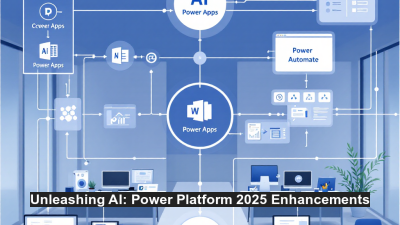
Integrating AI Agents with Microsoft Power Platform: Leveraging the 2025 Release Wave 1 Enhancements
In today’s rapidly evolving digital landscape, businesses are increasingly looking for ways to streamline operations and leverage automation to fuel innovation. Microsoft Power Platform’s 2025 Release Wave 1 is taking a significant leap forward by integrating advanced AI capabilities directly into its suite of tools. This blog post offers a deep dive into the release’s key enhancements—including the revolutionary Plan Designer in Power Apps and enhanced Copilot functionalities in Power Automate—along with a comprehensive guide on how to integrate AI agents to drive business efficiency and automation.
──────────────────────────────
1. Introduction to Microsoft Power Platform’s 2025 Release Wave 1
The 2025 Release Wave 1 for Microsoft Power Platform represents a pivotal update, focused on enriching business applications with AI-driven automation and intelligent insights. With a user-friendly interface and a suite of robust AI enhancements, both developers and business users can now build smarter, more efficient solutions. The update is designed to empower small to medium-sized businesses and enterprise-level organizations alike, offering a seamless path to incorporate AI agents into daily workflows.
At its core, the Release Wave 1 update integrates AI directly into Power Platform, fostering a collaborative environment where AI agents and human innovation come together. This integration addresses complex business process requirements while maintaining easy oversight and governance. In this era of digital transformation, learning how to leverage these enhancements is critical for those looking to maintain competitive advantage. Whether you are developing custom applications or streamlining existing processes, the possibilities open up dramatically with this release.
──────────────────────────────
2. New Features Overview: Unpacking the Plan Designer in Power Apps
One of the standout features in this release is the Plan Designer in Power Apps. This innovative tool is designed to translate comprehensive business requirements into intelligent software solutions. With the Plan Designer, developers can now seamlessly integrate AI-driven insights into their app development process. This tool guides makers to transform business requirements into a blend of applications, pages, flows, copilots, and even custom agents.
The Plan Designer serves as a centralized hub for both new and pre-existing artifacts. This means that developers can incorporate custom-built agents from legacy applications into fresh solutions, ensuring consistency in functionality and user experience. The orchestration of AI agents via the Plan Designer not only improves efficiency but also unlocks unprecedented levels of customization. Organizations can now leverage built-in and extensible in-app agents that are governable, observable, and fully extensible to meet unique business needs. For a detailed perspective on Plan Designer capabilities, refer to the Microsoft Learn overview on Power Apps 2025 Release Wave 1.
──────────────────────────────
3. Enhancing Automation: Introducing Enhanced Copilot in Power Automate
Automation has always been at the heart of the Microsoft Power Platform, and with the latest release, Power Automate takes a leap towards more intelligent, AI-native automation capabilities. The new version of Copilot in Power Automate is more than just a virtual assistant—it comes equipped with advanced generative actions and intelligent document processing. This means that complex workflows can now be managed more efficiently through human-in-the-loop automation, where advanced approval processes and document-centric tasks are executed with minimal manual intervention.
The enhanced Copilot functionalities make it possible to create a streamlined workflow that adapts dynamically as business requirements evolve. Additionally, tools such as the Automation Center and the Power Platform Admin Center provide comprehensive governance, ensuring that automations are secure, observable, and well-controlled at scale. This level of oversight is indispensable for organizations that need to maintain rigorous operational standards while leveraging AI to optimize daily processes. Detailed insights and the overall plan for these capabilities can be further explored on the Microsoft Power Platform 2025 Release Wave 1 plan overview.
──────────────────────────────
4. Step-by-Step Guide to Integrating AI Agents
Integrating AI agents into your Power Platform applications may seem like a daunting task, but the process becomes straightforward once you understand the step-by-step workflow:
a. Assess Business Requirements: Begin by outlining the specific areas in your business processes where automation and AI can deliver the most value. Consider tasks that are repetitive, require decision-making, or can benefit from intelligent insights.
b. Utilize the Plan Designer: Leverage the Power Apps Plan Designer to map your business requirements into an intelligent solution. Here, you’ll have the choice of integrating new AI agents or leveraging your existing ones. The tool’s ease-of-use fosters collaboration between business stakeholders and IT teams.
c. Configure In-App Agents: With extensible built-in agents now part of Power Apps, you can configure them to perform key tasks such as data entry, notifications, and even customer support. Empower these agents by tailoring them to your organization’s unique requirements, making sure they operate within your governance framework.
d. Enhance Operations with Copilot: Integrate the enhanced Copilot functionalities within Power Automate to create a more responsive and efficient workflow. Use its generative actions to automate complex document processing and incorporate human-overseen decision points where necessary.
e. Testing and Monitoring: Once your AI agents are integrated, run thorough testing cycles to ensure all components interact seamlessly. Utilize tools from the Power Platform Admin Center for continuous monitoring and governance.
f. Deployment and Iteration: Finally, roll out your integrated solution to a pilot audience, gather feedback, and iterate on your automation strategies. With integrated observability, adjustments can be made in real-time to maximize overall performance.
Through each of these stages, the seamless integration of AI agents not only enhances application functionality but also drives a culture of continuous improvement and automation.
──────────────────────────────
5. Use Cases: Transformative Business Applications
The integration of AI agents with Microsoft Power Platform opens up a plethora of transformative use cases across industries. For example, in customer service, AI-powered chatbots integrated via Power Apps can handle routine inquiries, while complex cases are escalated to human teams. In the financial sector, enhanced Copilot functionalities in Power Automate can automate document processing and approval workflows, reducing bottlenecks in critical processes.
Retailers can benefit from intelligent inventory management systems that predict stock shortages and automate replenishment orders. Similarly, manufacturers might leverage AI agents to predict maintenance needs on production lines, reducing downtime and optimizing resource allocation. Each of these examples demonstrates how AI integration not only simplifies complex processes but also fosters a proactive approach to business management.
──────────────────────────────
6. Best Practices for Maximizing AI and Power Platform Synergy
To fully harness the potential of AI integration within the Power Platform, consider these best practices:
• Define Clear Objectives: Establish precise goals for what you wish to achieve with your AI-driven automation. Whether it’s reducing operational costs or streamlining a customer service process, clarity in objectives is essential.
• Leverage the Right Tools: Utilize the Plan Designer and the enhanced Copilot functionalities as your groundwork. They provide robust frameworks for integrating AI agents seamlessly while enabling continuous adjustments.
• Ensure Robust Governance: Implement strong oversight mechanisms to monitor performance, manage security, and track workflow metrics. Use built-in observability tools provided by the Power Platform Admin Center to maintain control over AI operations.
• Engage Cross-functional Teams: Involve stakeholders from various departments during the planning and implementation phases. This approach ensures that the integrated AI agents address the needs of all business functions.
• Invest in Training and Support: Equip your team with the necessary training to understand and leverage the new AI tools effectively. Continuous learning fosters innovation and maximizes the return on your AI investments.
The strategic alignment of these practices not only enhances the synergy between AI and the Power Platform but also enables your organization to innovate confidently in an increasingly digital environment.
──────────────────────────────
7. Challenges and Considerations in AI Agent Integration
While the benefits of integrating AI agents are immense, there are several challenges and considerations that organizations must address:
• Data Security and Governance: As AI agents handle sensitive business data, strict governance frameworks must be implemented. Enhanced oversight features in Power Automate and Power Apps help, but organizations need to ensure that data privacy regulations and internal policies are consistently met.
• Change Management: The introduction of new AI tools can disrupt existing workflows. Effective change management and user training are essential to bring teams up to speed and minimize resistance.
• Integration Complexity: Aligning legacy systems with the new AI features, particularly when integrating custom “Bring Your Own Agents” solutions, can present technical challenges. It is essential to invest time in pilot projects and iterative testing before full-scale deployment.
• Maintaining Flexibility: While AI offers automation and predictive capabilities, businesses must retain the flexibility to override or adjust automated decisions when necessary. This balance of automation with human oversight is a key aspect of the human-in-the-loop approach.
Looking ahead, addressing these challenges with a proactive strategy will ensure that the integration of AI agents enhances rather than hinders your business operations.
──────────────────────────────
8. Future Prospects: Preparing for AI Innovation in 2025 and Beyond
The advancements introduced in the 2025 Release Wave 1 are just the beginning of a longer journey toward pervasive AI integration in business processes. As AI technologies evolve, we can expect even greater levels of automation, intelligence, and seamless integration across various platforms. Future releases may incorporate next-generation natural language processing, augmented reality interfaces, and even more intuitive human-machine interactions.
For organizations, this means continual investment in technology and skills development. Preparing for AI innovation involves staying current with platform updates, participating in community forums, and fostering partnerships that facilitate experimental deployments of emerging AI capabilities. The current enhancements in Power Platform are paving the way for a future where software can predict, react, and optimize business processes with minimal human intervention. Embracing this evolution early will give businesses a substantial competitive edge in an era defined by digital transformation.
──────────────────────────────
9. Conclusion: Driving Business Efficiency and Innovation
Microsoft Power Platform’s 2025 Release Wave 1 brings transformative enhancements that are set to revolutionize how businesses approach process automation and AI integration. By introducing powerful tools such as the Plan Designer and enhanced Copilot functionalities, Microsoft has made it easier than ever to integrate AI agents into complex workflows while ensuring robust governance and ease-of-use.
For developers and business leaders alike, these innovations offer a clear roadmap to increased efficiency, reduced manual workload, and innovative business solutions that adapt to evolving market demands. Whether you’re looking to improve customer engagement, streamline internal processes, or harness predictive analytics for competitive advantage, the 2025 Release Wave 1 serves as a key milestone in digital transformation. Embracing these enhancements today is the stepping stone toward a more innovative, efficient, and AI-driven tomorrow.
In summary, by leveraging advanced AI functionalities within Microsoft Power Platform, organizations can drive operational excellence, foster cross-functional collaboration, and position themselves at the forefront of a rapidly evolving technological landscape. The integration of AI agents is not just the future—it’s a present-day reality, transforming the way businesses operate and innovate.
For further details on the capabilities and roadmap, check out the Microsoft Learn documentation and explore the full potential of the 2025 Release Wave 1 enhancements.






