
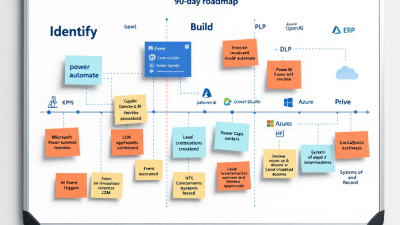
ROI, Fast: A 90‑Day Playbook to Pilot AI Workflow Automation Without Boiling the Ocean
Executive Summary: Ship AI Automation Value in 90 Days
If your organization is experimenting with generative AI but struggling to move the needle on real processes, this playbook is your shortcut from “cool demo” to measurable business value—without boiling the ocean. In 90 days, you’ll select a high-ROI use case, design human-in-the-loop guardrails, build on Microsoft Power Platform with Power Automate, Copilot Studio, and Azure OpenAI, and prove results with clear KPIs and cost controls. The approach leans on event-driven triggers, retrieval-augmented reasoning (RAG), and approval gates so your automations do real work while staying compliant with tenant governance and DLP policies. You’ll get a week-by-week plan, acceptance criteria templates, an ROI calculator, and a lightweight reference architecture that scales from pilot to production.
B. Cobra Systems, LLC brings proven patterns that help you ship value fast, avoid lock-in, and integrate where it makes sense—leveraging native Power Platform connectors or plugging in iPaaS tools like n8n, Make, and Zapier.
Why Now: From Experiments to Outcomes on Power Platform
AI is no longer a side project. In 2024, mainstream adoption crossed a threshold: 65% of respondents report their organizations are regularly using generative AI, according to McKinsey’s The State of AI in 2024 (Gen AI’s Breakout Year). That urgency pairs neatly with Power Platform’s maturity:
– Event-driven cloud flows trigger from business events across hundreds of systems—no brittle polling required (Types of flows in Power Automate).
– AI can be grounded in your data using retrieval augmented generation with Azure OpenAI and Azure AI Search—producing relevant, auditable outputs without retraining models (Use your data in Azure OpenAI Service).
– Copilot Studio orchestrates actions via Power Automate, plugins, and connectors, making it straightforward to combine natural language with enterprise-grade workflows and human-in-the-loop checkpoints (Actions in Microsoft Copilot Studio).
Pick the Right First Use Case (Days 0–14): Impact x Feasibility
Your first 90 days live or die by what you choose. You want a process that’s frequent, rule-bound, and expensive in human time—but with controllable risk.
– Impact: Large volume, measurable cycle time, error-prone steps, clear cost of delay. Examples: invoice coding, customer service email triage, supplier onboarding checks, or contract clause extraction.
– Feasibility: Data is available, systems have connectors or APIs, and the process can tolerate a human approval step initially.
Scoping workshop (90–120 minutes):
– Map the current process (swimlanes), identify trigger events, systems of record, and decision points.
– Flag candidate steps for AI assistance vs. deterministic automation.
– Define governance constraints (what data moves where) up front.
Selection rubric:
– Impact score (1–5): Volume x cycle time x rework rate.
– Feasibility score (1–5): Data quality, connectors, policy fit.
– Risk score (1–5): Regulatory exposure, PII, customer impact.
Pick the highest (Impact x Feasibility) with a risk score you can mitigate via human-in-the-loop.
Success Metrics That Matter: KPIs, SLAs, and Acceptance Criteria
Measure what you ship. Don’t drown in vanity metrics.
Core KPIs
– Cycle time: Average time from trigger to completion (baseline vs. pilot).
– Manual touch rate: Percentage of items requiring human edit.
– First-pass accuracy: Percentage approved without edits.
– Cost per transaction: Labor + platform + AI tokens per item.
– Throughput: Items processed per day/week.
– Exception rate: Items routed to fallback flows.
SLA targets (pilot)
– Turnaround: 90% within X hours during business hours.
– Approval latency: 80% of approvals within Y minutes.
– System availability: 99% during pilot window.
Acceptance criteria template
– Data scope: Only documents from [source] in [date range], excluding [sensitive types].
– Model behavior: AI must cite source passages (RAG) for any extracted field or decision.
– HITL gates: Items above a confidence threshold of ≥0.85 auto-approve; 0.6–0.85 require single approver; <0.6 route to manual queue.
- Accuracy: ≥97% field-level accuracy on [key fields] across a stratified sample of N=200.
- Safety: No data leaves business connector boundary per DLP; zero PII in logs.
- Observability: 100% of runs emit structured metrics and prompts to the audit store.
- Rollback: One-click switch to “assist-only” mode; no data writes to system of record.
Architecture at a Glance: Event-Driven Agents on Power Platform
Think of the solution as an event-driven assembly line with guardrails.
- Trigger events: Use Power Automate cloud flows to react to business events (e.g., a new invoice in SharePoint, a message in a queue, an email in a monitored mailbox). This event-driven model is a core capability of Power Automate (event-driven cloud flows).
– Reason over your data: Invoke Azure OpenAI with retrieval augmented generation to ground responses on your content (SharePoint, Dataverse, blob storage indexed in Azure AI Search), enabling relevant and auditable outputs (Use your data in Azure OpenAI Service).
– Orchestrate with Copilot Studio: Expose the flow as an action, let users or agents converse, gather missing info, and kick off downstream steps via connectors or plugins (Copilot Studio actions).
– Human-in-the-loop (HITL): Insert Power Automate Approvals for sign-offs across Teams, Outlook, and mobile—fully tracked and auditable (Approvals in Power Automate).
– Governance: Enforce Data Loss Prevention (DLP) policies to control connector groups (business vs. non-business vs. blocked) at environment or tenant scope (DLP policies).
– Privacy: Use Azure OpenAI with enterprise privacy commitments; your prompts and outputs aren’t used to train OpenAI models (Azure OpenAI data privacy).
Design for Safety: Human-in-the-Loop, DLP, and Approval Gates
Safety is a feature, not an afterthought.
– Approval gates where it matters: Configure multi-step approvals with escalation, timeouts, and reassignment using Power Automate Approvals (HITL approvals).
– DLP boundaries: Classify connectors into business vs. non-business groups, and block risky ones to prevent data exfiltration between services (DLP policies).
– Contain AI data: Keep prompts, documents, and completions within approved environments; Azure OpenAI respects enterprise data boundaries (privacy and security).
– RAG discipline: Store document fingerprints and source citations; reject answers without evidence; use deterministic guards (regex, schemas) before writing to systems of record.
Build Phase (Days 15–45): Power Automate, Copilot Studio, and RAG
Week 3–4: Foundations
– Create a dedicated Managed Environment for the pilot to get usage insights, solution checker, and policy enforcement as you scale (Managed Environments).
– Set DLP policies and connection references; provision Azure OpenAI deployments and Azure AI Search index for RAG.
– Define data schemas and confidence thresholds; prepare a gold dataset for testing.
Week 4–5: Build the happy path
– Implement event-driven cloud flows for triggers (cloud flows).
– Build a RAG function (index, chunk, embed) and prompt templates; include source citation requirements (use your data).
– Add validation layers: JSON schema validation, business rule checks, and HITL approval steps (Approvals).
– Expose actions to Copilot Studio for conversational queries and exception handling (Copilot Studio actions).
Week 5–6: Harden and prepare for pilot
– Implement retry logic, idempotency, and structured logging.
– Configure Azure OpenAI quotas and rate limits; request increases if needed to meet throughput (Azure OpenAI quotas).
– Set Azure Cost Management budgets and alerts for the resource group to avoid runaway spend (Azure budgets).
Pilot Phase (Days 46–75): Test Data, Shadow Mode, and Observability
– Shadow mode: Run the full flow but don’t commit changes to the system of record. Compare AI outputs to human decisions and track variance.
– Sampling and review: Human reviewers assess a statistically meaningful sample for accuracy and confidence calibration.
– Observability: Log per-item metrics—latency, token usage, confidence, approval outcomes, exception types. Managed Environments provide usage insights to complement custom logs (usage insights).
– Feedback loop: Create a “correct and learn” step where reviewers can adjust fields; store corrections to refine prompts and retrieval strategy.
Measure & Decide (Days 76–90): ROI Calculator and Go/No-Go
By day 76, you should have defensible numbers. Use these to decide scaling, iterate, or sunset.
Simple ROI calculator
– Baseline cost per item = labor minutes per item x fully loaded hourly rate / 60
– Pilot cost per item = (labor minutes after automation x rate / 60) + platform license + AI token cost + infrastructure
– Savings per item = baseline cost per item − pilot cost per item
– Monthly savings = savings per item x monthly volume
– Payback period (months) = initial build cost / monthly savings
– ROI (%) = (annualized savings − annualized costs) / annualized costs x 100
Gate review
– Green: KPIs meet or exceed targets, approval load trending down, exception rate manageable, budgets on track (budgets respected), quotas adequate (quota).
– Yellow: Accuracy near threshold; increase RAG coverage, refine prompts, or adjust approval bands.
– Red: Compliance risks or cost overrun; revert to assist-only mode and reassess feasibility.
Cost Controls: Token Budgets, Run Quotas, and Connector Strategy
– Token budgets: Set per-flow token ceilings; short prompts with tight instructions; cache embeddings; avoid redundant retrieval calls.
– Quotas and concurrency: Enforce Azure OpenAI throughput caps and concurrent run limits; scale deliberately (manage quotas).
– Azure budgets: Configure soft and hard thresholds with alerts; trigger Power Automate notifications or throttling when spend nears limits (Azure Cost Management budgets).
– Connector strategy: Prefer “business” connectors per DLP policy to avoid data leakage (DLP controls). Use the HTTP connector to integrate any API or external iPaaS while retaining governance in Power Platform (HTTP connector).
Tooling Choices: Native Power Platform vs. n8n/Make/Zapier
You’re not locked in. Lead with native where governance and insights are strongest; augment with iPaaS where it reduces complexity or cost.
– Use native Power Platform when you need: DLP enforcement, centralized governance, Approvals, Dataverse, Managed Environment insights, and tight Copilot Studio integration.
– Use n8n/Make/Zapier when you need: quick connectors to long-tail apps, specialized transformations, or to offload bursty workloads.
– Integration pattern: Keep the “brain” and guardrails in Power Platform. Call external iPaaS via webhooks or REST using the HTTP connector (HTTP actions). Return only sanitized, schema-validated data across DLP boundaries.
SMB Case Example: Invoice-to-ERP Automation with HITL Review
Context
– Volume: 3,000 invoices/month, three vendors, inconsistent line-item formats.
– Baseline: 8 minutes per invoice, 2% error rate, $42/hour fully loaded AP cost.
Solution flow
1) Trigger: New PDF arrives in a “Vendor-Invoices” SharePoint library. Event-driven cloud flow kicks off (cloud flows).
2) Extraction with RAG: The flow indexes the PDF and vendor-specific docs, then queries Azure OpenAI grounded on those sources to extract header fields, line items, tax, and PO number with citations (use your data).
3) Validation + business rules: Cross-check vendor, PO status, and totals. If mismatched, route to exception queue.
4) HITL approval: AP specialist receives an Approval in Teams with side-by-side invoice image, extracted fields, and citations. Approve, edit, or reject (Approvals).
5) Post to ERP: On approval, write to ERP via connector or HTTP API with idempotency checks (HTTP connector).
6) Copilot Studio: AP team can ask “Show invoices awaiting approval over $10k” or “Explain this exception” using orchestrated actions (Copilot Studio actions).
Governance and safety
– All data flows within business connectors per DLP policy (DLP policies), Azure OpenAI privacy is enforced (data privacy), and the pilot runs in a Managed Environment with insights and policy enforcement (Managed Environments).
Results after 60 days (illustrative)
– Cycle time: 8 minutes → 2.5 minutes average.
– Manual touch rate: 100% → 28% (confidence thresholds increased over time).
– Accuracy: 98.3% on key fields after prompt and RAG tuning.
– Cost per invoice: $5.60 → $1.95 including platform + AI.
– Monthly savings: ~$10,950; payback in under 3 months.
Scale Without Surprises: Environment Strategy and ALM Basics
Treat the 90-day pilot as the seed of your production estate.
– Environment strategy: Dev/Test/Prod partitioned by data sensitivity and DLP. Pilot in a Managed Environment for governance and insights (Managed Environments).
– Solutions and pipelines: Package flows, connections, and Copilot assets in Solutions; promote with approvals and automated checks.
– Policy-as-guardrail: DLP policies at environment scope; business vs. non-business connectors enforced consistently (DLP policies).
– Capacity planning: Monitor usage; request Azure OpenAI quota increases as demand grows (quotas and limits).
– Cost governance: Azure budgets with alerts and action hooks to throttle or queue work when thresholds approach (Azure budgets).
Next Steps: Readiness Checklist and How B. Cobra Systems Can Help
90-day readiness checklist
– Use case picked via Impact x Feasibility, with clear owner and baseline metrics.
– DLP policies defined; pilot environment created; connections approved.
– Azure OpenAI and Azure AI Search provisioned; token and cost budgets set.
– KPIs, SLAs, and acceptance criteria documented and signed off.
– Event-driven triggers identified; happy-path flow designed.
– HITL approvals integrated; rollback plan in place.
– Observability implemented; prompts, citations, and outcomes logged.
– Pilot cohort and shadow-mode plan ready; feedback loop established.
– ROI calculator configured; Go/No-Go gate scheduled.
How B. Cobra Systems accelerates your 90 days
– Use-case framing and ROI modeling tailored to your industry.
– Reference architecture and solution templates for event-driven flows, RAG, and approvals.
– Governance setup: Managed Environments, DLP, and connector strategy.
– Build sprints with joint teams; shadow-mode pilot with observability.
– Decision-ready reporting: KPIs, budget adherence, and a clean Go/No-Go package.
The market has moved—your workflows can, too. With a focused scope, the right guardrails, and a bias for event-driven automation, you can turn 90 days into durable ROI. When you’re ready to ship value fast, B. Cobra Systems, LLC is ready to build alongside you.






