
2025 Guide: n8n vs Make vs Zapier vs Power Automate vs Copilot Studio for Multi‑Agent Orchestration
Why Multi‑Agent Orchestration Needs a Workflow Backbone in 2025
Generative AI moved from novelty to necessity. Gartner projects that by 2026, more than 80% of enterprises will use generative AI APIs and deploy GenAI-enabled apps in production—up from less than 5% in 2023, a sea change that raises the stakes on governance and scale (Gartner Top Strategic Technology Trends). As organizations graduate from single-agent demos to multi-agent systems, a deterministic workflow backbone becomes non-negotiable. You need a system that can reliably orchestrate tool calls, checkpoint state, enforce guardrails, escalate to humans when needed, and survive API hiccups—without turning your ops team into a 24/7 incident response squad.
Multi-agent orchestration lives at the intersection of LLMs, APIs, humans, and enterprise data. The right backbone tames that complexity with clear policies, observability, approvals, and retries—so that intent (from an agent or a human) consistently becomes action with traceability, cost control, and compliance baked in.
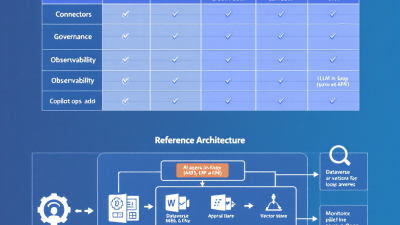
Evaluation Criteria and Scoring Model (connectors, governance, observability, LLM ops, cost, DX)
To make a durable choice, evaluate platforms across these weighted criteria:
– Connectors and extensibility (weight: 20%): breadth of prebuilt integrations, webhooks, SDKs, and ability to add custom actions or plugins.
– Governance, security, and compliance (weight: 20%): tenants/environments, DLP, RBAC, audit logs, data residency, certifications, SSO/SCIM.
– Observability and reliability (weight: 15%): run history, tracing, retries, dead-letter patterns, SLAs, chaos/negative testing support.
– LLM ops and agent integrations (weight: 15%): function calling, tool invocation, action routing, memory/vector options, guardrails.
– Cost, throughput, and scaling (weight: 15%): pricing units and burst capacity, concurrency, queueing, horizontal scale, cold-start behavior.
– Network and deployment options (weight: 10%): on-prem/hybrid/VPC, private connectivity, secrets management.
– Developer experience (weight: 5%): CI/CD, environments, CLI/IaC options, testability, source control.
Score each criterion on a 1–5 scale, multiply by weights, and compare total scores per platform against your must-have constraints (compliance, data gravity, skill set).
Quick Snapshot: When Each Tool Shines for SMBs vs Enterprise (n8n, Make, Zapier, Power Automate, Copilot Studio)
– Zapier: Speed for SMBs and teams who live in SaaS. Massive catalog and approachable UX make it ideal for long‑tail automations and connecting marketing, sales, and support apps. Enterprise controls exist, including SOC 2 Type II, SAML SSO, SCIM, app restrictions, and audit logs (Zapier Security; SAML SSO; SCIM). Note a key limitation: Zapier is not HIPAA compliant and does not sign BAAs (Zapier HIPAA guidance).
– Make: Great for SMBs to mid‑market teams needing more complex branching, data transforms, and regional data processing. Enterprise features include SAML SSO, audit logs, EU/US processing, and ISO/IEC 27001 certification (Make Security; Make Enterprise).
– n8n: For builders who need control. Self‑hostable, extensible, and scalable via queue mode for workers—ideal when you need VPC/private networking, air‑gapped deployments, or cost‑efficient scale (n8n self‑hosting; queue‑mode scaling; n8n Enterprise).
– Power Automate: Best fit for enterprises anchored in Microsoft 365, Dynamics 365, or Azure, with rich governance (DLP, environments) and hybrid connectivity via on‑premises data gateway (Power Platform DLP; on‑premises data gateway).
– Copilot Studio: Build conversational agents that can invoke enterprise actions via Power Automate flows and plugins—great for “chat to action” experiences with enterprise guardrails (Copilot Studio actions; plugins).
Connectors and Extensibility: APIs, webhooks, custom actions, SDKs, plugin ecosystems
Connector breadth still matters. Zapier advertises connections to 6,000+ apps (Zapier Apps Directory). Make lists 1,600+ integrations (Make Integrations). Power Automate offers 1,000+ prebuilt connectors spanning Microsoft and third‑party services (Power Automate). n8n provides 400+ integrations and is designed for extensibility (n8n Integrations).
Beyond raw counts, evaluate extension points. Copilot Studio lets you define actions that route into Power Automate flows or external APIs, and you can extend your copilot with plugins to reach additional systems (actions; plugins). n8n’s self‑hosted model favors custom nodes and private APIs in controlled networks. Zapier and Make both support webhooks and app building frameworks to add bespoke integrations, while their catalogs cover most mainstream SaaS.
Governance, Security, and Compliance: tenants, DLP, RBAC, audit, data residency, SOC/ISO/HIPAA
In enterprise orchestration, guardrails are the product. Power Platform’s data loss prevention policies allow admins to classify connectors and prevent cross‑boundary data exfiltration (for example, blocking “non‑business” connectors from mingling with “business” data) (Power Platform DLP). This is critical when LLMs and agents are empowered to trigger actions across systems.
Zapier offers an enterprise tier with SOC 2 Type II, SAML SSO, SCIM user provisioning, app restrictions, and audit logs (Zapier Security). However, Zapier is not HIPAA compliant and does not sign BAAs—a hard stop for PHI‑handling workflows (Zapier HIPAA guidance). Make’s enterprise posture includes SSO (SAML), audit logs, ISO/IEC 27001 certification, and regional data processing in EU/US—useful for sovereignty requirements (Make Security; Make Enterprise). n8n can be fully self‑hosted, keeping data within your infrastructure and enabling enterprise controls such as SSO and audit logs (n8n self‑hosting; n8n Enterprise).
Observability and Reliability: run history, tracing, retries, dead-lettering, SLAs, chaos testing
Without visibility, multi‑agent systems drift from “smart” to “mysterious.” Microsoft’s Center of Excellence Starter Kit delivers admin analytics, inventory, usage, and governance tooling across Power Platform estates—vital for tracking who built what and how it’s behaving (CoE Starter Kit). Zapier provides per‑run Zap history with inputs/outputs and errors for troubleshooting (Zapier run history). Make’s scenario execution history surfaces operations and error details (Make execution history). n8n lists executions with detailed logs, and its enterprise tier adds audit logs (n8n executions).
For reliability, look for configurable retries, alerting, and the ability to implement dead‑letter patterns. Queue‑based designs help isolate spikes and partial failures; n8n’s queue mode with workers is built for this (queue mode). In cloud-managed tools, pair workflows with resilient messaging systems and escalation paths.
LLM Ops and Agent Integrations: function calling, tool use, memory, vector stores, safety and guardrails
Modern stacks converge on structured tool invocation. OpenAI’s function calling formalizes how models choose tools and pass typed arguments (OpenAI function calling). Zapier’s AI Actions let LLMs trigger actions across thousands of apps—useful for agent‑to‑SaaS tool use with minimal glue code (Zapier AI Actions). In the Microsoft ecosystem, Azure OpenAI and OpenAI connectors bring models into flows, and Copilot Studio actions bridge from conversation to enterprise connectors via Power Automate (Azure OpenAI connector; Copilot actions).
Memory and retrieval patterns (e.g., vector stores) are typically integrated via connectors, plugins, or custom nodes depending on platform. Safety and guardrails span DLP, constrained action sets, and human approvals for high‑risk steps. Treat your LLM as a planner and your workflow engine as the governor.
Cost, Throughput, and Scaling: pricing models, concurrency, cold starts, workload patterns
Your TCO depends on how you’re metered:
– Zapier: priced by “tasks”—each successful action is a metered unit (Zapier pricing).
– Make: priced by “operations”—each step/action consumed (Make pricing).
– Power Platform: licensed per user or per flow; throughput governed via Power Platform requests allocation (Power Platform request limits).
– n8n: cloud priced by “executions”; self‑hosting shifts costs to your infrastructure and lets you scale horizontally (e.g., queue mode with workers) (n8n pricing; queue‑mode scaling).
Model your peak vs. average load, the “chattiness” of agent tool calls, and the penalty of retries. Queue‑backed designs and idempotent steps can dramatically reduce rework and cost on flaky APIs.
Human‑in‑the‑Loop and Approvals: exception handling, guided decisions, auditability
Multi‑agent doesn’t mean zero humans. The winning stacks support:
– Routed approvals for high‑impact actions (payments, access changes).
– Guided exception handling and enrichment (e.g., a human confirms a shipping substitution).
– Transparent audit trails linking the agent’s reasoning, tool calls, and the human decision.
Ensure messages to humans include context from the agent (inputs, retrieved facts) and a safe fallback path if they don’t respond in time.
Network and Deployment Options: on‑prem, hybrid, VPC, private connectors, secrets management
Connectivity determines feasibility. Power Platform’s on‑premises data gateway securely bridges to ERPs, databases, and services inside private networks—without exposing them to the public internet (on‑premises data gateway). n8n’s self‑hosting allows VPC‑native deployments, private networking, and local secrets management (n8n self‑hosting). Make offers regional data processing (EU/US), helpful for sovereignty and latency (Make Enterprise). Zapier primarily targets cloud‑to‑cloud SaaS—simple for internet‑reachable APIs, less suited for deep on‑premises integration.
Developer Experience: CLI, CI/CD, IaC, environments, testing, source control and branching
Developer ergonomics determine scale beyond a few flows:
– Source control and promotion: Favor platforms that support environment separation (dev/test/prod) and repeatable deployments. Treat workflows as assets under version control.
– Testability: Canary scenarios, unit‑like tests for data transforms, and sandboxed connectors reduce surprises.
– CI/CD: Pipelines that validate, lint, and promote changes build confidence.
– Templates and reuse: Common subflows/modules reduce duplication and drift.
GUI‑first tools are fast to start; as your estate grows, invest in conventions (naming, env vars, secrets) and a platform CoE to keep sprawl in check.
Power Platform Deep Dive: Power Automate plus Copilot Studio for enterprise‑grade agents and Dataverse
Power Automate provides broad connector coverage alongside enterprise governance and hybrid connectivity (DLP and on‑premises data gateway) (DLP; gateway). Copilot Studio lets you define actions your copilot can call, routed through Power Automate flows and connectors, and extended with plugins (actions; plugins). Together, they enable “chat to action” with enterprise guardrails, observable runs, and human approvals where needed.
Real‑world traction shows up in Dynamics 365 Field Service, where Power Automate orchestrates work order, scheduling, and technician workflows, a pattern transferrable to People Ops, IT ops, and supply chain use cases (Power Automate for Field Service). Azure OpenAI and OpenAI connectors bring LLM planning into the same pipeline (Azure OpenAI connector).
Open‑Source and Self‑Host Angle: n8n for control, extensibility, and air‑gapped scenarios
n8n shines when you need to keep data inside your walls, run in a VPC, or comply with strict residency rules. Self‑hosting gives you root‑level control over secrets, networking, and updates (n8n self‑hosting). For scale, queue mode decouples ingestion from processing, letting you add workers horizontally and isolate noisy neighbors (queue‑mode scaling). Enterprise options layer on SSO, audit logs, and governance for larger teams (n8n Enterprise).
No‑Code Velocity for SMBs: Make and Zapier for rapid iteration and long‑tail automations
For SMBs, speed wins. Zapier’s 6,000+ app catalog compresses time‑to‑value for cross‑SaaS automations; AI Actions add direct LLM‑to‑tool execution when you want agents to operate within well‑known app boundaries (Zapier Apps; AI Actions). Make’s 1,600+ integrations, powerful data mappers, and enterprise features (SSO, audit logs, ISO 27001, EU/US processing) make it a sweet spot for mid‑market teams balancing control and agility (Make Integrations; Make Security; Make Enterprise). If you handle PHI, note Zapier’s HIPAA limitation (HIPAA guidance).
Architectural Patterns: event‑driven, queue‑backed sagas, compensation, and safe runbooks
– Event‑driven orchestration: Trigger flows on webhooks, change events, or tickets; use correlation IDs to stitch multi‑step journeys.
– Queue‑backed sagas: Break long business processes into steps coordinated via queues; implement compensations for partial failures. n8n’s queue mode provides the pattern out of the box (queue mode).
– Safe runbooks: For high‑risk operations (access changes, financial adjustments), require human approvals with full context, set timeouts, and log everything.
– Guardrail layering: Combine LLM function schemas, limited action scopes, DLP policies, and per‑step validations.
Use Cases That Matter: field service, People Ops onboarding, Lights‑Out IT triage, supply chain exceptions
– Field service: Dispatching, parts allocation, and technician guidance benefit from agent planning plus deterministic workflows. Dynamics 365 Field Service pairs natively with Power Automate to orchestrate work orders and schedules (Field Service with Power Automate).
– People Ops onboarding: Agents draft offers and checklists; the backbone provisions accounts, devices, and benefits—with approvals and DLP protections where PII is involved.
– Lights‑Out IT triage: Classify incidents with LLMs; route diagnostics and standard fixes via orchestrations; escalate with rich context when automation stops short.
– Supply chain exceptions: Detect stockouts or delivery risks; agents propose substitutions; workflows confirm with stakeholders and update ERP/commerce systems.
Migration and Coexistence Playbook: pilot, guardrails, DLP, environment strategy, phased rollout
– Start with a pilot use case that touches three systems and includes a human approval—enough complexity to be representative.
– Establish guardrails early: connector allow/deny lists, DLP policies for data boundaries (Power Platform DLP), naming conventions, secrets strategy.
– Environments: separate dev/test/prod; define promotion rules and rollback tactics.
– Observability: enable run‑history review and admin analytics (e.g., Power Platform CoE) (CoE Starter Kit).
– Phased rollout: expand connectors and agent actions incrementally; iterate on SLAs and on‑call procedures as volume grows.
– Coexistence: It’s normal to run two or more stacks—e.g., Zapier/Make for long‑tail SaaS, n8n for private APIs, Power Automate/Copilot for enterprise apps and agents.
Decision Matrix and Checklist: how to choose by risk, skill set, data gravity, and TCO
Quick decision matrix (guidance):
– Microsoft‑anchored, hybrid/on‑prem, strict governance/compliance: Power Automate + Copilot Studio.
– VPC/air‑gapped, need code‑adjacent extensibility and low‑level control: n8n (self‑hosted).
– SMB speed with huge SaaS catalog and minimal ops overhead: Zapier.
– Mid‑market needing richer data handling, regional processing, enterprise features: Make.
– Conversational front door to enterprise actions with guardrails: Copilot Studio + Power Automate.
Checklist:
– Data gravity: Where does sensitive data live? Any on‑prem/private APIs?
– Compliance: HIPAA/BAA required? Regional residency constraints? (Zapier is not HIPAA compliant: confirm suitability) (HIPAA guidance).
– Agent scope: Which actions must an LLM be able to trigger? How will you constrain and audit them? (function calling; AI Actions; Copilot actions)
– Cost model fit: Tasks (Zapier), operations (Make), requests/licenses (Power Platform), executions/infra (n8n) (Zapier pricing; Make pricing; Power Platform limits; n8n pricing).
– Observability and scale: How will you trace runs, retry failures, and isolate spikes? (CoE; n8n queue mode).
– People and skills: Who builds and owns these flows—citizen devs, IT, or a platform team? What’s your support model?
Common Pitfalls and Anti‑Patterns: shadow IT, token sprawl, over‑automation, brittle chains
– Shadow IT: Untracked automations lead to risk. Centralize visibility and review via admin analytics and inventories (e.g., CoE for Power Platform) (CoE Starter Kit).
– Token sprawl: Consolidate secrets, rotate regularly, and avoid embedding credentials inside many flows.
– Over‑automation: If humans routinely override a step, design for human‑in‑the‑loop instead of looping the LLM harder.
– Brittle chains: Long synchronous chains magnify failure. Prefer event‑driven, queued steps with idempotency and compensations.
– Unbounded agent actions: Constrain action catalogs, validate arguments, and require approvals for high‑risk operations.
How B. Cobra Systems Helps: architecture reviews, Power Platform enablement, AI agent implementation and governance
B. Cobra Systems designs and implements multi‑agent backbones that won’t wake you up at 2 a.m. We run vendor‑neutral architecture reviews, map your data gravity and compliance needs, and help you choose and combine the right stack—Power Automate and Copilot Studio for enterprise‑grade orchestration, n8n for self‑hosted control, and Make/Zapier for rapid SMB velocity. We implement agent actions with guardrails, stand up observability and DLP policies, and coach your team on environments, promotion, and safe runbooks. When you’re ready to scale from pilot to platform, we’ll get you there with confidence.
Appendix: Connector Ecosystem at a Glance
– Zapier: 6,000+ apps (Apps Directory)
– Make: 1,600+ integrations (Make Integrations)
– Power Automate: 1,000+ prebuilt connectors (Power Automate)
– n8n: 400+ integrations (n8n Integrations)






