
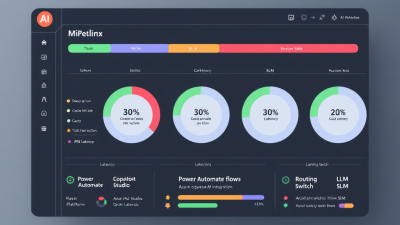
Agent FinOps: How to Cut AI Workflow Automation Costs by 30% Without Slowing Down
Executive Summary: Agent FinOps for Power Platform and AI Agent Teams
AI agents are incredible accelerants—until the bill comes due. The good news: you can cut your AI workflow costs by 30% (often more) without sacrificing SLAs, accuracy, or adoption. This post lays out a practical Agent FinOps framework tailored to Microsoft Power Platform, Azure OpenAI, and Copilot Studio. You’ll learn how to instrument costs, define the right unit economics, and apply design patterns—token-aware prompts, tool-call minimization, semantic caching, and model routing—that reduce spend while keeping p95 latency tight.
Start by giving your teams the meters and guardrails they need. Enable token-level telemetry for Azure OpenAI requests and pipe it to Power BI via Azure Monitor/Log Analytics—the service emits fields like promptTokens and completionTokens when diagnostics are enabled, perfect for cost and latency dashboards (Monitor and troubleshoot Azure OpenAI Service). Put budgets and alerts in place so anomalies are caught early; Azure Cost Management supports budgets and near-real-time alerts for Azure OpenAI usage (Plan and manage costs for Azure OpenAI Service). Align your dashboards to established FinOps practices by tracking unit costs (for example, $ per 1K tokens) and model-specific pricing for showback and chargeback (FinOps Foundation – AI/ML FinOps Practitioners Guide).
From there, optimize the agent loop. Compress prompts (LLMLingua-style) to slash tokens, send only the tools required for the task, cache common responses, and route routine tasks to small language models (SLMs) with LLM fallback. Each pattern reduces both tokens and tool chatter. Back everything with guardrails: max tokens, max steps, and budget thresholds that degrade gracefully instead of failing your SLA.
Why AI Automation Costs Spike: Hidden Token Drains, Tool-Call Chatter, and Latency Tax
Most cost overruns trace back to four levers:
– Over-long prompts and system messages: Untrimmed context, verbose policy blocks, and repeated instructions quietly multiply input tokens every run.
– Tool bloat and chatty orchestration: Function definitions are part of each request and count toward the model’s context window; sending large JSON schemas and unnecessary tools directly increases billable tokens and latency (Function calling and tool use).
– Redundant calls: Re-asking near-identical questions, lack of semantic caching, and “just to be safe” retries create duplicated spend.
– Heavyweight-by-default models: Using premium LLMs for classification, routing, or extraction that an SLM can do just as well wastes money and time.
Hidden latency tax compounds the problem. Larger prompts and more tool hops increase p95 latency, which triggers timeouts, retries, and user abandon—all of which cost more.
Define the Right KPIs: Cost per Successful Action, Tokens per Run, Tool Calls per Run, Cache Hit Rate, p95 Latency, Success/Deflection Rate
Pick KPIs that connect engineering choices to business value:
– Cost per successful action: Total model + tool costs divided by successful outcomes. This is your north star.
– Tokens per run (prompt + completion): Your primary controllable cost driver.
– Tool calls per run and tool payload size: Measures orchestration efficiency.
– Cache hit rate (exact + semantic): Directly reduces spend and latency.
– p95 latency: Your user experience guardrail.
– Success rate / deflection rate: Tracks quality and containment (for support agents, deflection rate means “handled without human escalation”).
Adopt FinOps unit economics—$ per 1K tokens per model, and $ per session for channel products—to enable showback/chargeback and team-level targets (FinOps Foundation).
Observability First: Low-Overhead Telemetry for Power Automate, Copilot Studio, and Azure OpenAI
Instrumentation pays for itself within days.
– Azure OpenAI: Turn on diagnostics to emit token-level metrics, request/response sizes, latency, and status to Azure Monitor/Log Analytics; these fields underpin accurate dashboards in Power BI (Azure OpenAI monitoring).
– Azure AI Studio Prompt flow: Evaluate prompts, flows, and models with built-in token usage and estimated cost metrics before shipping changes to production (Prompt flow: Monitor and evaluate).
– Power Automate: Use pay-as-you-go to push flow run usage into Azure Cost Management where you can set budgets and alerts; add tracked properties to actions for run-level metadata (Pay-as-you-go with Power Automate).
– Copilot Studio: Plan using session-based pricing ($200 for 1,000 sessions/month) and watch session analytics to detect runaway usage and enforce caps (Copilot Studio pricing).
Build a Cost Model: Prompt + Completion Tokens, Embeddings, Vector I/O, Tool Calls, Orchestration Overhead
Create a simple spreadsheet that forecasts per-run cost:
– Model calls: (prompt_tokens + completion_tokens)/1,000 × $ per 1K tokens per model. Azure OpenAI bills by input and output tokens, and right-sizing max_tokens lowers completion costs (Azure OpenAI pricing).
– Embeddings: embeddings_tokens/1,000 × $ per 1K tokens + vector database read/write costs.
– Tool calls: Per-call pricing (Power Automate, connectors, custom APIs) + any per-flow run charges.
– Orchestration overhead: Queue operations, function executions, logging, and storage.
Validate your model with actuals from Azure Monitor and Azure Cost Management so forecasts converge within 10–15%.
Token-Aware Design: Prompt Pruning, System Prompt Libraries, Structured Outputs, and JSON Mode
– Prune aggressively: Remove redundant instructions, examples, and policies. Keep a library of atomic system prompt snippets and include only what the task needs.
– Compress: Research shows LLMLingua-style compression can reduce prompt tokens by up to 20× with minimal performance loss; implement summarization/selective-drop pre-processors in flows or plugins to cut tokens fast (LLMLingua).
– Structure outputs: Use JSON mode or strict schemas to reduce retries and parsing errors, and to keep completions short and machine-consumable.
– Cap completions: Set explicit max_tokens based on the desired output schema length.
– Few-shot minimalism: Keep exemplars short; move long examples to retrieval.
Retrieval That Pays for Itself: Slimmer Context Windows, Better Chunking, Query Rewrites, and Hybrid RAG
– Slim the context window: Retrieve only the top-k chunks necessary for the task; prefer 2–4 high-quality chunks over 10+ mediocre ones.
– Chunking that matches questions: Use semantic or header-aware chunking with overlap tuned to your doc style (policies, SKUs, SOPs).
– Query rewrites: Use a cheap SLM to reformulate user queries for better recall, then feed the rewritten query to search.
– Hybrid RAG: Combine keyword and vector search; union results and deduplicate before passing to the LLM.
– Cite sparingly: Include only the portions of sources needed for the answer, not full pages.
Minimize Tool Calls: Batch, Compose, and Defer—Designing the Agent Loop to Reduce API Chatter
– Send only relevant tools: Tool schemas count toward tokens; prune fields and only include tools applicable to the current step (Function calling and tool use).
– Batch where possible: Group related lookups or writes to reduce round-trips (for example, batch CRM reads; commit writes once).
– Compose: Do cheap pre-processing/post-processing locally or in a single function call instead of sending multiple LLM tool calls.
– Defer noncritical steps: Queue async work (reporting, enrichment) to run after the user-facing response is delivered.
Semantic and Response Caching: Cache Keys, TTLs, Safety Invalidation, and When to Pin Deterministic Outputs
– Exact cache: Key on normalized prompt + system prompt version + tool set + model. Use short TTLs for dynamic content; longer for static FAQs.
– Semantic cache: Use embeddings to find similar prompts and return prior outputs; popular frameworks support semantic caching to avoid unnecessary LLM calls and improve latency (LangChain SemanticCache).
– Safety invalidation: Invalidate cache on policy changes, model upgrades, or content updates. Version your system prompts to bust caches cleanly.
– Pin deterministic outputs: For classification/routing with high confidence, pin outputs and skip re-generation unless input distribution shifts.
Vendor and Model Mix: Route Tasks to SLMs, Use LLMs Only When Needed; Azure OpenAI, Local SLMs, and Model Fallbacks
– Cascades: Route easy tasks to cheaper SLMs and escalate only when confidence is low. Research shows model cascades can reduce cost dramatically while maintaining quality (FrugalGPT).
– Price-aware routing: Maintain a routing table with $ per 1K tokens and latency targets per model from Azure OpenAI pricing (Azure OpenAI pricing).
– Fallbacks: If the primary model is degraded or budget-limited, downgrade gracefully to a cheaper model with a smaller context window.
– Local SLMs: For rote tasks (regex-like extraction, classification), consider local/edge models to shave token and egress costs.
SLAs without Spend Spikes: Guardrails (max steps, max tokens), Early-Exit Heuristics, and Budget Thresholds
– Guardrails: Enforce max steps and max tokens per run. If exceeded, summarize and exit with a helpful next action.
– Early exit: Detect “enough information” states to stop the loop early; confirm with the user before additional calls.
– Rate limits and quotas: Use API Management policies like rate-limit-by-key and quota-by-key to cap calls per app/team and prevent runaway costs (API Management quotas and rate limits).
– Budgets: Configure Azure Cost Management budgets and alerts for Azure OpenAI and pay-as-you-go Power Automate to detect anomalies within hours (Azure OpenAI budgets and alerts; Power Automate pay-as-you-go).
Governance for SMBs and Enterprises: Budgets, Rate Limits, Approval Gates, and Cost Anomaly Alerts
– Budgets and showback: Track per-team/model unit costs and share monthly scorecards (FinOps guidance).
– Rate limits: Throttle at API Management to prevent accidental spikes (APIM quotas).
– Approval gates: Require approvals for new high-cost prompts/models, or for flows exceeding p95 latency thresholds.
– Cost anomaly alerts: Use Azure Monitor + Cost Management alerts to notify on sudden token or session spikes (Azure Cost Management).
Power Platform Implementation Blueprint: Dataverse Cost Tables, Flow Instrumentation, and Reusable Prompts
– Dataverse schema: Tables for Runs, TokenUsage, ToolCalls, CacheEvents, and Budgets. Store correlation IDs across Power Automate, plugins, and Azure OpenAI calls.
– Instrumentation: In Power Automate, add tracked properties for tokens, tools, and latency; post to Application Insights and Dataverse. In custom connectors, log token usage and model IDs.
– Reusable prompt library: Store versioned system prompts and few-shot examples in Dataverse; include only what’s necessary per task.
– Cost-aware actions: Shared actions that set max_tokens, route to SLM/LLM, and apply cache checks before calling the model.
Reference Architecture: Event-Driven Orchestration with Queues, Outbox for Exactly-Once Side Effects, and Cache Layer
– Event-driven: Use queues (for example, Azure Service Bus) between the chat front end and worker functions for backpressure and retries without blocking the user.
– Outbox pattern: Write side effects to an Outbox table and deliver them once; ensures idempotency for CRM/ERP updates.
– Cache layer: L1 exact-response cache, L2 semantic cache; pre-check both before calling the model.
– API gateway: Front model and tool APIs with API Management for quotas and observability.
– Observability: Centralize logs in Azure Monitor/Log Analytics; join with Dataverse for full-funnel tracing.
Case Study Walkthrough: Reduce Support Agent Costs by 30% While Maintaining Sub-3s p95 Latency
A global SaaS support team running Copilot Studio + Power Automate + Azure OpenAI saw costs creeping up with rising volume.
Interventions over two weeks:
– Prompt compression and pruning cut prompt tokens by 42% using a pre-processor and structured outputs.
– Tool minimization reduced tool schemas by 60% and removed three unused tools from default payloads.
– Semantic cache introduced with a 10-minute TTL for common FAQs, achieving a 38% hit rate within a week.
– Model routing sent classification and routing to an SLM; complex reasoning stayed on the LLM with fallback.
– APIM quotas capped calls per tenant; budgets and alerts deployed for Azure OpenAI and Power Automate.
Results:
– Cost per successful action: down 33%.
– p95 latency: 2.8s → 2.5s.
– Deflection rate: +9 points (fewer human handoffs).
– Reliability: Decreased timeouts and retries thanks to shorter prompts and fewer tool hops.
Dashboards and Alerts: Kusto/Azure Monitor, Power BI Templates, and Weekly FinOps Review Cadence
– Kusto queries: Build token, latency, and error rate views from Azure OpenAI diagnostics; include promptTokens and completionTokens (Azure OpenAI monitoring).
– Power BI: Combine Azure Monitor, Dataverse, and Cost Management exports to visualize Cost per Successful Action, Tokens per Run, Tool Calls per Run, Cache Hit Rate, and p95 Latency.
– Prompt flow reports: Compare variants and forecast savings before rollout (Prompt flow monitoring).
– Alerting: Azure Cost Management budgets for Azure OpenAI and Power Automate usage; Azure Monitor alerts for latency, error spikes, and anomaly detection (Cost management budgets; Power Automate pay-as-you-go).
Pilot-to-Production Playbook: 3-Week Rollout with A/B Routing, Budget Guardrails, and Risk Controls
– Week 1 – Baseline and design: Enable telemetry; establish KPIs and budgets; create A/B variants (compressed prompts, caching, SLM routing); stage APIM quotas.
– Week 2 – Controlled pilot: Route 10–20% of traffic to optimized path; monitor token/latency deltas daily; tune cache TTLs and chunking.
– Week 3 – Scale and harden: Increase traffic; enforce max steps/tokens; set budget thresholds for auto-downgrade/fallback; finalize dashboards and review cadence.
Common Anti-Patterns and Fixes: Over-Long Prompts, Polling Workflows, Unbounded Tool Loops, and N+1 Retrieval
– Over-long prompts: Replace boilerplate with versioned snippets; compress; cap max_tokens.
– Polling: Switch to event-driven queues and webhooks to eliminate unnecessary tool calls.
– Unbounded tool loops: Enforce max steps; add user confirmation gates.
– N+1 retrieval: Batch queries; hybrid RAG with dedup; bring only top-k chunks.
Security and Compliance: Data Minimization, PII Redaction, Prompt-Log Hygiene, and Tenant Isolation
– Minimize data: Pass only fields needed for the task; mask PII before sending to models when possible.
– Prompt-log hygiene: Redact sensitive data in logs; encrypt at rest; apply retention policies aligned to compliance.
– Tenant isolation: Separate environments, keys, and quotas per tenant/team; use APIM for policy enforcement.
– Access control: RBAC for prompt libraries, flows, and dashboards to prevent accidental high-cost changes.
ROI Calculator and Checklist: Quick Inputs for Tokens, Calls, Cache Rate; 10-Step Checklist to Hit 30% Savings
Quick ROI inputs:
– Baseline tokens per run (prompt + completion), cost per 1K tokens per model.
– Embedding tokens per run and vector query count.
– Tool calls per run and per-call cost.
– Planned reductions: prompt tokens (-30–60%), cache hit rate (+20–50%), tool calls (-20–40%), SLM routing share (+30–70% of requests).
Estimated savings:
Savings ≈
Prompt token reduction × share_of_cost
+ Completion cap savings
+ (Cache hit rate × average run cost)
+ Model routing delta (LLM → SLM)
− Overhead of embeddings/cache
10-step checklist:
1) Enable Azure OpenAI diagnostics and build token dashboards (monitoring).
2) Set Azure Cost Management budgets and alerts for Azure OpenAI (budgets).
3) Connect Power Automate to pay-as-you-go and enable alerts (pay-as-you-go).
4) Inventory prompts and tools; prune system prompts; remove unused tools.
5) Implement prompt compression and JSON output with max_tokens caps (LLMLingua).
6) Add exact + semantic caching with safe TTLs (semantic cache).
7) Introduce SLM→LLM cascades with confidence thresholds (FrugalGPT).
8) Batch and defer tool calls; enforce APIM quotas (API Management quotas).
9) Pilot with A/B routing via Prompt flow and measure deltas (Prompt flow).
10) Set a weekly FinOps review with scorecards and actions (FinOps guidance).
How B. Cobra Systems Can Help: Cost Baseline, Architecture Tune-Up, and Ongoing Agent FinOps Enablement
If you want the 30% savings without the guesswork, we’ll help you:
– Establish a defensible baseline: Stand up Azure OpenAI and Power Platform telemetry, budgets, and dashboards in days—not weeks.
– Tune the architecture: Compress prompts, right-size models, implement caching, and refactor the agent loop to minimize tool chatter—without breaking SLAs.
– Govern and sustain: Put APIM quotas, budgets, and review cadences in place; roll out model cascades and cost-aware routing safely from pilot to production.
Ready to make your AI agents faster, cheaper, and easier to govern? Let’s turn Agent FinOps into your team’s competitive advantage.






