
Autonomous Close Controller: AI Agents that Reconcile, Explain Variances, and Draft Journals
Executive summary
The month-end close is the heartbeat of financial reporting—and too often, the bottleneck. In this practical blueprint, we show how to build an Autonomous Close Controller on Microsoft Power Platform + Azure that reconciles subledgers, detects anomalies, explains variances, and drafts journals with segregation-of-duties (SoD) controls and full auditability. Designed for AI agent developers and SMB finance leaders, the approach blends autonomous AI with human-in-the-loop guardrails to cut cycle time, shrink risk, and boost control maturity.
1) Why the Close Is Ripe for Autonomy: Time Sinks, Bottlenecks, and Risk
Monthly close remains a high-friction, spreadsheet-heavy routine. Teams shuttle data between ERPs and Excel, eyeball variances, chase down evidence, and wait on approvals. The outcome is predictable: pressure at period end, overtime, and audit findings about inconsistent documentation.
Benchmarks underscore the opportunity. Top performers complete the monthly close in roughly five days, while bottom performers take 10 or more, according to APQC’s research on cycle time to close. Moving toward top-quartile performance requires compressing handoffs, automating repetitive tasks, and standardizing evidence capture and approvals—exactly what autonomous agents do well (APQC benchmark).
The market has already validated these patterns. Microsoft introduced Copilot for Finance to streamline reconciliation, variance analysis, and collections—generating variance explanations in Excel and drafting journal entries for review—signaling mainstream acceptance of AI assistance with human review (Microsoft Copilot for Finance). The lesson is clear: move beyond ad hoc macros to an auditable, governed agent system.
2) What the Autonomous Close Controller Does (Reconcile, Explain, Draft, Approve)
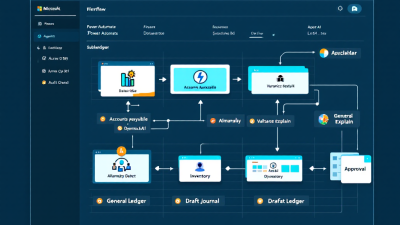
Think of the Autonomous Close Controller (ACC) as a team of specialized agents working under a controller’s playbook:
– Reconcile: Continuously match subledgers (AP, AR, Inventory) to GL, flag breaks, and propose clearing entries with linked evidence.
– Explain: Detect unusual swings and produce natural-language variance narratives that point to specific transactions, vendors, or timing drivers.
– Draft: Create SoD-aware journal proposals with complete supporting documentation, routed to the correct approver.
– Approve: Manage checklists, SLAs, escalations, and approvals, and record who did what, when, and why.
Every autonomous action is paired with a human-in-the-loop option—draft mode, comments, redlines, and reversible actions—so controllers stay in control.
3) Reference Architecture on Microsoft Power Platform + Azure
Power Platform-first means using native building blocks for governance, speed, and integration:
– Dataverse as the system of record for close artifacts: checklist tasks, exceptions, evidence links, prompts, model outputs, and journals. Dataverse auditing provides chronological logs of changes and user access for traceability (Dataverse auditing).
– Power Automate for orchestration and Approvals, Teams integration, and SLA timers. Approvals capture identity, timestamps, and comments for later review (Power Automate Approvals).
– Copilot Studio agents for goal-driven planning, connectors/actions, and controlled handoffs to people—all within Power Platform guardrails (Copilot Studio agents).
– Power BI for anomaly detection, trend analysis, and explainability via “Explain anomaly” and Smart Narratives (Power BI anomaly detection, Smart narrative).
– Azure OpenAI for narrative generation and assisted reasoning with enterprise-grade data privacy commitments—prompts and responses aren’t used to train foundation models (Azure OpenAI privacy).
– Azure Functions for scalable matching logic and data prep, Azure Monitor for telemetry, and Microsoft Purview Audit for end-to-end auditability of system activities (Purview Audit).
– Dynamics 365 Finance’s Financial period close workspace as a model for role-based task governance that the ACC extends with automation (Financial period close workspace).
– DLP policies to keep finance data within approved connectors and environments, preventing data exfiltration across business/non-business boundaries (Power Platform DLP).
4) Agent Roster and Responsibilities
Reconciliation Agent: Subledger-to-GL matching (AP, AR, Inventory)
– Role: Match transactions and balances between subledgers and GL; identify duplicates, timing differences, and currency effects.
– Mechanics: Power Fx rules for deterministic joins; Azure Functions for fuzzy matching (vendor name, invoice number, date proximity); Dataverse tables to store matches, exceptions, and evidence links; attachment capture for vendor statements and remittances.
– Outcomes: Coverage score (% matched), exception queue with proposed actions (reclass, accrual, clear on receipt).
Anomaly Detector: Outlier and drift detection on postings and balances
– Role: Monitor time-series balances and posting patterns to surface outliers and drifts earlier in the cycle.
– Mechanics: Power BI anomaly detection visuals and APIs feed exception records, with “Explain anomaly” insights pointing to drivers like volume spikes or mix shifts (anomaly detection).
– Outcomes: Prioritized anomalies with confidence scores and links to underlying transactions.
Variance Explainer: Natural-language narratives with evidence links
– Role: Translate variances into plain-English narratives, citing concrete drivers and supporting artifacts.
– Mechanics: Combine Smart Narratives and measures from Power BI with Azure OpenAI to produce concise, defensible narratives; insert deep links to Dataverse records, SharePoint files, and ERP pages (Smart Narratives; Azure OpenAI privacy).
– Outcomes: Draft explanations with confidence levels, assumptions, and “request more evidence” actions.
Journal Drafter: Proposal creation with SoD-aware routing
– Role: Generate balanced journal proposals (accruals, corrections, reversals) with complete justification and attachments.
– Mechanics: Templates and guardrails in prompts; SoD matrix drives router logic; Approvals in Teams capture sign-off; post via Dynamics 365 Finance or Business Central APIs with reviewer comments stored in Dataverse (Approvals).
– Outcomes: Fewer manual keystrokes, stronger documentation, consistent policy application.
Controller Orchestrator: Checklist, SLAs, and handoffs
– Role: Own the period close checklist, assign tasks, enforce SLAs, and coordinate agents and humans.
– Mechanics: Dataverse checklist tables; child flows per subprocess; Teams notifications; escalations when timers breach; integration or coexistence with Dynamics 365 Financial period close workspace (close workspace).
5) Data & Integrations for SMB to Enterprise
– ERPs: Dynamics 365 Finance & Operations and Business Central, NetSuite, SAP, and QuickBooks via native connectors or REST. Power Query simplifies data shaping; OData/SQL connectors for structured access.
– Dataverse schema: Tables for CloseChecklist, Exception, Evidence, Narrative, JournalProposal, SoDMatrix, ApprovalLog. Store attachments in SharePoint with links in Dataverse for scale.
– Legacy/RPA: Use Power Automate Desktop to extract legacy statements, export subledger reports, or click-through screens when no API exists.
– Data Lake: Optional landing zone for large subledger histories; link to Power BI models and retrieval for agents.
6) Controls by Design: SoD, Approvals, and Audit Trails
You can’t automate control risk away—it must be designed in:
– Segregation of duties: Role-based routing enforces that preparers, reviewers, and posters are distinct; SoD matrix defines conflicts and fallback reviewers.
– Approvals and documentation: Power Automate Approvals record approver identity, timestamps, and comments, creating defensible audit trails (Approvals).
– Immutable evidence and logs: Dataverse auditing and Microsoft Purview Audit provide chronological change logs and cross-service auditability of activities, including Power Platform events (Dataverse auditing; Purview Audit).
– DLP guardrails: DLP policies prevent data exfiltration by separating business vs. non-business connectors and restricting cross-environment flows (DLP policies).
– Standards alignment: Documentation, evidence, and control testing align with PCAOB’s emphasis on ICFR rigor—a must when AI agents affect financial reporting (PCAOB AS 2201).
7) Human-in-the-Loop Patterns That Build Trust
Autonomy succeeds when people trust it. Patterns that work:
– Draft mode by default; nothing posts without approval in early phases.
– Redlines and comments in Teams; reviewers can accept, edit, or reject with reasons.
– Reversible actions; if a journal is reversed, the agent auto-documents the reason.
– Confidence thresholds; high-confidence explanations/journals route to a light-touch review; low-confidence cases require tiered approval.
– Auto-contain rules; the agent pauses and requests more evidence when certain controls trigger (e.g., vendor at-risk flag).
– Copilot Studio agents natively support handoffs, approvals, and guardrails, aligning with enterprise governance patterns (Copilot Studio agents).
– Governance by design: The NIST AI Risk Management Framework emphasizes human oversight, transparency, and accountability—principles embedded into the ACC’s interaction model (NIST AI RMF).
8) Models, Prompts, and Retrieval
– Model selection: Use GPT-4o-class models in Azure OpenAI for narrative quality, and smaller models for classification and extraction to control cost (Azure OpenAI privacy).
– Retrieval: Pull structured data from Dataverse (exceptions, journals, SoD), documents from SharePoint (invoices, statements), and history from Data Lake for context.
– Prompt templates: Standardize tone, structure, and citation format for narratives. Example intent:
– “Explain the month-over-month variance for Account 5400 (Freight) in 150–200 words. Cite top 3 drivers with record links. If confidence < 0.7, ask for evidence.”
- Guardrails: Include allowed actions, required evidence, and prohibited content; log prompts, responses, and retrieved sources in Dataverse for auditability.
- Assistive analytics: Blend Power BI Smart Narratives and anomaly explanations to pre-structure the LLM’s inputs, reducing tokens and increasing determinism (Smart narrative; Explain anomaly).
9) Exception Handling & Escalation
– SLA timers: Each exception gets a due date and timer; breaches escalate to the Controller Orchestrator with Teams alerts.
– Reassignment: If the preparer is out-of-office or conflicted by SoD, auto-route to a secondary with a reason captured.
– Tiered reviews: Material exceptions require senior review; immaterial ones may be auto-approved within strict rules.
– Evidence requests: The agent can email or portal-request vendor/customer documents, attaching replies to the exception record.
– Full trail: Purview and Dataverse log every touch—from agent detection to final approval—for an uninterrupted chain of custody (Purview Audit; Dataverse auditing).
10) Observability & KPIs
Measure what matters, per period and cumulatively:
– Reconciliation coverage: % of balances matched automatically.
– Variance explanation rate: % of variances with acceptable narratives.
– Journal auto-drafted/post rate: % drafted by agent; % posted after human approval.
– Time-to-close: Days from period end to final sign-off; trend vs. baseline (APQC benchmark).
– False-positive rate: % of anomalies/exceptions dismissed by reviewers.
– Reviewer effort: Minutes per exception to disposition.
– Control health: SLA adherence, approval latency, reversal rate.
Telemetry flows into Dataverse and Azure Monitor; visualized in Power BI for real-time insights and continuous improvement.
11) Implementation Guide (Step-by-Step)
Step 1: Model your close checklist and SoD matrix in Dataverse
– Tables: CloseChecklist (Task, Role, DueDate, SLA, Status), SoDMatrix (Role, Action, Allowed, ReviewerRole), Exception, JournalProposal, Evidence, Narrative, ApprovalLog.
– Enable auditing on sensitive tables.
Step 2: Build orchestrator flows in Power Automate
– Parent flow opens period, seeds checklist tasks, starts SLA timers.
– Child flows for AP, AR, Inventory, Accruals; each writes to Exception and Evidence tables.
– Teams notifications and Approvals for handoffs (Approvals).
Step 3: Create Reconciliation Agent with Power Fx + Azure Functions
– Deterministic rules in Power Fx (exact/near-exact matches).
– Azure Functions handle fuzzy matching and tolerance logic; return candidate links and confidence.
– Persist match decisions, unmatched items, and proposed actions in Dataverse.
Step 4: Wire Variance Explainer with Azure OpenAI and retrieval of evidence links
– Retrieval layer queries Dataverse/Power BI for top drivers and attaches links.
– Prompt template enforces structure, confidence scoring, and citation of evidence.
– Store all prompts/outputs in Narrative with hash of retrieved sources for audit (Azure OpenAI privacy).
Step 5: Journal Drafter posts proposals via Dynamics 365/BC APIs with Approvals in Teams
– Build posting templates (accruals, reclasses, reversals) with required fields and policy checks.
– Route via SoDMatrix; Approvals capture justification and comments.
– On approval, call ERP API; on rejection, capture reason and propose next step.
Step 6: Persist artifacts (prompts, outputs, attachments) for auditability
– Use Dataverse auditing, store attachments in SharePoint, and enable Microsoft Purview Audit for cross-service traceability (Dataverse auditing; Purview Audit).
12) Security, Compliance, and Data Privacy
– DLP policies: Separate business vs. non-business connectors; block unapproved data paths (DLP policies).
– Data residency: Keep Dataverse environments in compliant regions; configure tenant-level routing and retention.
– PII masking: Mask vendor/customer PII in prompts; pass IDs not names where possible.
– Content filters: Apply prompt and output filters; restrict actions to whitelisted connectors.
– Least privilege: Use managed identities/service principals with scoped permissions for ERP APIs.
– Audit and ICFR: Purview Audit + Dataverse auditing and documented approvals support ICFR evidence requirements under PCAOB AS 2201 (Purview Audit; Dataverse auditing; PCAOB AS 2201).
– LLM privacy: Use Azure OpenAI to ensure enterprise-grade data handling; prompts/responses aren’t used to train models (Azure OpenAI privacy).
13) Cost and Performance Optimization
– Batch vs. streaming: Batch nightly reconciliations; stream high-risk feeds (cash, inventory).
– Model selection: Reserve premium models for narratives; use small models/rules for classification, matching, and QC checks.
– Cache narratives: Memoize approved explanations; only refresh when thresholds are breached.
– Prompt economics: Pre-structure inputs via Power BI Smart Narratives to reduce tokens (Smart narrative).
– Schedule tuning: Pull heavy data off-peak; parallelize child flows with backoff policies.
– Observability: Track cost per exception and cost per drafted journal; alert on drift.
14) Pilot-to-Production Playbook
– Start small: Choose 1–2 scenarios (e.g., AP subledger-to-GL and freight expense variance).
– Baseline and A/B: Measure current cycle time, exception volume, reviewer minutes; run the agent in shadow mode for one close.
– Define success: e.g., 70% auto-matched items, 50% of variances explained, 30% journals drafted with <5% rework.
- Harden controls: Turn on DLP, auditing, and managed identities; test SoD matrix and break-glass routines.
- Expand by confidence: Add scenarios and auto-approve paths only where confidence and control health are consistently high.
- Train the org: Create quick-reference playbooks for reviewers; embed links in Teams cards.
15) Mini Case: 10-Day Close to 5 Days at a Mid-Market Distributor
Starting point: A $350M distributor closed in 10 days, with AP/AR reconciliations in spreadsheets and frequent last-minute accruals. Reviewers spent ~25 minutes per exception and auditors flagged inconsistent evidence trails.
Intervention: The ACC ingested AP, AR, and freight expenses. The Reconciliation Agent auto-matched 78% of AP line items; the Anomaly Detector flagged outliers in freight and explained seasonality using Power BI’s “Explain anomaly.” The Variance Explainer drafted narratives with links to PO receipts and carrier invoices. The Journal Drafter generated accrual proposals routed through Teams Approvals with SoD-based reviewers. Dataverse auditing and Purview captured the end-to-end trail (Explain anomaly; Approvals; Dataverse auditing; Purview Audit).
Results after two cycles:
– Close time reduced from 10 to 5.5 days, approaching top-quartile territory (APQC benchmark).
– Reviewer effort dropped to 11 minutes per exception; 64% of journals drafted by the agent, 0% auto-posted (by policy) in phase 1.
– Audit readiness improved: 100% of drafted journals had linked evidence and approval logs; no exceptions in ICFR walkthroughs.
16) What’s Next: From Close to Continuous Accounting (Forecasting, Flux Analysis, and Controls)
With the ACC in place, organizations can move from periodic to continuous accounting:
– Near-real-time reconciliations for cash and inventory.
– Daily flux analysis with rolling narratives and threshold-based alerts.
– Predictive accruals using PO receipts and shipment confirmations.
– Continuous controls monitoring with automated evidence capture and periodic control testing mapped to ICFR requirements (PCAOB AS 2201).
The bottom line
Autonomous agents aren’t replacing controllers; they’re giving them their evenings back. With Power Platform, Azure, and the right guardrails, you can reconcile more, explain better, draft faster—and close sooner—with stronger controls than before. And as Microsoft’s own product direction shows, AI-augmented finance is no longer experimental; it’s the new operating model (Copilot for Finance).






