
From Zapier to Event‑Driven Autonomy: When to Graduate Workflows to Enterprise‑Grade AI Orchestration
1) The Ceiling of Click-And-Connect: Why Simple Workflows Eventually Stall
No-code workflow tools are phenomenal accelerators—until the day they become your bottleneck. As teams automate more processes, the architecture underneath matters. Polling-based triggers introduce unavoidable latency: for example, Zapier polling triggers typically check for new data every 1–15 minutes depending on your plan, while webhooks (“Instant” triggers) fire immediately but still live within broader run-time and throughput constraints. Make (Integromat) scenarios can run as often as every minute (paid) or 15 minutes (free), with webhooks for immediate triggers. That’s good—until your business needs sub-second response, deterministic retries, ordered processing, or auditable end-to-end traces.
Other ceilings show up just as fast: per-connector throttles, global run limits, and API entitlements in platforms like Power Platform. Microsoft sets service protection limits such as a base entitlement of 40,000 API requests per user per 24 hours (and per-connection throttling), making sustained, bursty, or machine-driven workloads hard to scale within just cloud SaaS connectors. See the official guidance on Power Platform API request limits.
Security and compliance can force your hand, too. Vendors hold the keys to runtimes, secrets, and logs, complicating data residency and private networking. And while step-by-step run histories are useful, they rarely match enterprise observability needs: correlation across services, structured traces, and retention that satisfies audits or root-cause analysis.
If this sounds familiar, you’re not failing—your architecture is simply ready to grow up.
2) What Changes at Scale: Latency, SLAs, Fan‑Out/Fan‑In, Long‑Running Steps, and Human‑in‑the‑Loop
At small scale, minutes of latency and best-effort retries are acceptable. At scale, you need guarantees: at-least-once delivery, predictable backoff, dead-lettering, and ordered processing where required. In Azure, eventing and messaging services formalize these needs. Event Grid provides push-based delivery with at-least-once guarantees and exponential backoff, retrying for up to 24 hours and supporting dead-lettering for dropped events—see Event Grid delivery and retry. When your processes care about order, sessions, transactions, and duplicate detection, Azure Service Bus shines; message sessions enable FIFO-like processing with advanced constructs for resilient workflows—see Service Bus sessions and features.
Long-running steps emerge everywhere: multi-party approvals, SLAs that span days, and delayed retries. You need durable timers, persisted state, and resumable orchestrations. Azure’s stateful workflow runtime—Durable Functions—supports fan-out/fan-in, human interaction patterns (waiting for external events), and checkpointed execution for reliable progress and auditing.
3) The Decision Framework: Stay, Stretch, or Graduate
Use this pragmatic three-lane model:
– Stay (simple and stable)
– Event rate: <100/day; latency tolerance: minutes
- No ordering or complex retries; low compliance risk
- Minimal fan-out and no long-running coordinations
- Stretch (optimize what you have)
- Introduce webhook triggers to cut polling latency
- Split flows by domain; enforce concurrency and idempotency
- Offload heavy compute to Azure Functions; persist logs centrally
- Graduate (event-driven backbone)
- Sub-minute response required, or events >1000/day
– Need ordered processing, transactions, or exactly-once effects
– Human-in-the-loop, long-running timers, multi-agent AI
– Compliance mandates VNET/private endpoints, data residency, and auditable traces
When graduate conditions appear, move orchestration to Azure while keeping low-code productivity for front-of-house tasks.
4) Power Platform First: How to Max Out Power Automate Responsibly
Before you move, squeeze the most from what you have:
– Prefer webhook-based or “instant” triggers to avoid polling delays where possible
– Control concurrency and apply idempotency keys on update actions to avoid duplicates
– Split monolith flows into child flows per domain step; use connection references for ALM
– Use business rules in Dataverse to enforce invariants at the data layer
– Offload heavy compute and fan-out to Azure Functions or Logic Apps; call back from Power Automate
– Observe service protection limits early: plan capacity around API request entitlements and throttles
– Apply DLP policies so data never crosses restricted boundaries
– Centralize secrets in Azure Key Vault; use environment variables and managed identity where supported
This gives you reliability today while preparing contracts and habits you’ll reuse on Azure.
5) Graduation Targets on Azure: Event Grid vs. Service Bus vs. Storage Queues (and when each wins)
Microsoft’s guidance compares Azure messaging choices clearly—review Event Grid vs. Event Hubs vs. Service Bus:
– Event Grid (reactive eventing)
– Best for notifying consumers about state changes (“order.created”)
– Push delivery, at-least-once, retries with backoff, dead-letter support—see Event Grid delivery guarantees
– Excellent for fan-out to many subscribers
– Service Bus (enterprise messaging)
– Commands and workflows needing ordering, sessions (FIFO-like), transactions, duplicate detection, dead-lettering—see Service Bus sessions
– Ideal for sagas, request/response, and exactly-once-in-order processing using sessions and idempotent handlers
– Storage Queues (simple queues)
– Lightweight, cost-effective queueing for stateless workers
– No native sessions/transactions; add logic in consumers
– Event Hubs (telemetry streaming)
– High-throughput ingestion and analytics at scale (not typical for business commands)
Rule of thumb: publish facts on Event Grid, send commands through Service Bus, and use Storage Queues for simple background jobs.
6) Durable Execution Patterns: Retry, Compensation, Idempotency, and Exactly‑Once Semantics with Durable Functions
Durable Functions is your reliability anchor. The orchestrator function persists state and replays deterministically, enabling:
– Fan-out/fan-in to parallelize tasks with structured aggregation
– Durable timers for backoff and SLAs
– External events for human-in-the-loop and system callbacks
– Checkpointed progress, so transient failures don’t lose work
Start with idempotent activities: make updates safe to retry by using natural keys, version checks (ETags), or “upsert” semantics. Combine with Service Bus duplicate detection and sessions for effective exactly-once-in-order outcomes. For business-correlated workflows, implement saga compensation: define compensating steps to roll back or remediate downstream effects when a later step fails. See the Durable Functions overview for supported patterns and operational behaviors.
7) Orchestrating AI Agents Safely: Supervisors, Tools, Guardrails, and Deterministic Hand‑Offs
Multi-agent AI adds power and risk. Treat LLMs like probabilistic co-workers supervised by deterministic workflows:
– Supervisors and roles
– Use a coordinator that assigns tasks and enforces stop conditions and escalation
– Tooling boundaries
– Expose only approved tools (APIs, SQL, CRM) with least privilege
– Require structured inputs/outputs; validate schemas before execution
– Deterministic hand-offs
– Orchestrator manages state transitions; agents emit intents, not side-effects
– Guardrails and evaluation
– Build skills/pipelines with Semantic Kernel to compose tools and prompts
– Use AutoGen for controlled multi-agent conversations
– Continuously test and trace with Prompt Flow to evaluate, debug, and monitor agent runs
The north star: the orchestration is deterministic and auditable; the AI is bounded, evaluated, and reversible.
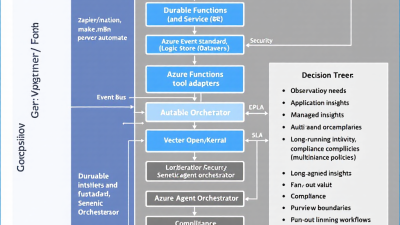
8) Reference Architecture: Power Automate Triggers → Event Bus → Durable Orchestrations → Agent Tools (Azure OpenAI, Dataverse, APIs)
– Ingestion and triggers
– Keep low-code where it shines: forms, approvals, user-driven actions in Power Automate
– Emit events to Event Grid for facts (“invoice.received”) and commands to Service Bus for ordered workflows (“returns.triage.requested”)
– Orchestration
– Durable Functions handles long-running coordination, retries, timers, and human-in-the-loop via external events
– Agent tools and actions
– Logic Apps Standard integrates with enterprise connectors within your network
– Agent skills call Azure OpenAI, Dataverse, and internal APIs through managed identities and private endpoints
– Storage and state
– Use Dataverse or Cosmos DB for transactional data; Blob/ADLS for artifacts and prompt logs
– Observability and audit
– Stream traces to Application Insights with correlation IDs from trigger to final effect
– Security
– Managed identities for services; secrets in Key Vault; DLP across Power Platform
This preserves low-code productivity at the edge while centralizing reliability, compliance, and cost control in Azure.
9) Observability and Auditability: OpenTelemetry, Prompt/Tool Call Logging, Run History, and Postmortems
Production automation needs SRE-grade telemetry:
– Correlated traces
– Propagate a correlation ID from Power Automate to Event Grid/Service Bus, Durable orchestrations, and Logic Apps
– Monitor Logic Apps in Application Insights—see Logic Apps → Application Insights
– Use Durable Functions diagnostics and built-in telemetry—see Durable Functions diagnostics
– Prompt and tool-call logging
– Log prompts, model parameters, and tool calls with redaction; hash PII; store lineage metadata
– Metrics and SLOs
– Track end-to-end latency, error budgets, retry counts, and DLQ backlog
– Postmortems
– Preserve orchestrator histories for replay; build automated timeline reports for incident review
OpenTelemetry-compatible tracing plus Application Insights gives you end-to-end visibility without duct tape.
10) Security and Compliance by Design: Managed Identities, Key Vault, DLP Policies, Data Residency, and Purview Lineage
– Identity and secrets
– Eliminate embedded credentials with managed identities; store configuration and secrets in Key Vault
– Network isolation
– Run Logic Apps Standard in your subscription with VNET integration, private endpoints, and local development—see Logic Apps Standard overview
– Platform compliance
– Align to your regulatory posture using Microsoft’s documented coverage for Power Platform compliance and Azure compliance
– Data governance
– Enforce Power Platform DLP; apply data residency and retention policies; capture lineage through your data estate (e.g., Purview)
– Least privilege everywhere
– Isolate agent tools; use role-based access control and scoped tokens; review permissions regularly
11) Cost and Unit Economics: When Event‑Driven Beats Per‑Zap Pricing (and how to model AI token costs)
SaaS workflow pricing often scales per step or per task; event-driven backbones scale per event and per execution. Typical anchors:
– Eventing and messaging
– Event Grid priced per operation—see Event Grid pricing
– Service Bus Standard/Premium tiers with capacity-based Premium—see Service Bus pricing
– Compute and orchestration
– Azure Functions (Consumption) billed per execution and GB-s—see Functions pricing
– Logic Apps priced by actions (Consumption) or fixed compute (Standard)—see Logic Apps pricing
Unit model template:
– Cost per business event = (Event Grid ops + Service Bus ops) + (Function executions × avg GB-s) + (Logic Apps actions) + (storage/observability)
– AI cost per event = Σ(model tokens × price/token) + tool API charges
Levers to optimize:
– Reduce chatty events with contract-first schemas
– Cache and ground LLMs to minimize tokens; batch low-priority jobs
– Prefer durable retries over naive loops to cut wasted executions
Once volumes exceed a few thousand events/day, event-driven often beats per-zap pricing while adding reliability and observability.
12) Migration Playbook: Strangler Fig, Dual‑Run, Contract‑First Events, Canary Releases, and Rollback Strategies
– Contract-first events
– Define domain events and commands with versioned schemas; publish from existing flows
– Strangler pattern
– Route new capabilities to Azure while legacy flows continue; gradually move steps behind the new façade
– Dual-run and compare
– Run Power Automate and Durable orchestration in parallel; compare outputs and SLIs before cutover
– Canary releases
– Shift 1–5% of traffic; observe DLQs, latency, and cost; then ramp
– Rollback plan
– Maintain switchbacks to legacy flows; keep idempotency guards to avoid double-processing
– Readiness gates
– Pass SLOs, security review (managed identity, private endpoints), and observability checks (traces, metrics, alerts)
13) SMB Case Vignette: From Zapier‑Based Order Ops to Event‑Driven AI Returns Triage on Azure
A growing e-commerce SMB automated order ops with a patchwork of zaps. It worked—until returns spiked. Latency from polling delayed refunds; duplicate updates caused accounting headaches; and auditors wanted traceability.
The team graduated:
– Power Automate continued to capture frontline actions and approvals
– Order and return events published to Event Grid; triage commands sent via Service Bus sessions for per-order ordering
– Durable Functions orchestrated steps: chatbot intake, receipt verification, RMA checks, label generation, and refund posting
– A constrained AI agent (Semantic Kernel-based) summarized return reasons and created structured intents; Prompt Flow tracked prompts and tool calls for evaluation
– Logic Apps Standard ran inside a VNET to integrate with ERP and shipping APIs over private endpoints
– Application Insights traced each return from click to refund; DLQs surfaced anomalies for postmortems
Results: median triage latency dropped from minutes to seconds, duplicate postings disappeared, audit time reduced dramatically, and unit cost per return fell thanks to per-event pricing.
14) Build vs. Buy vs. Hybrid: Leveraging Power Platform with Azure Foundations
– Build
– For proprietary processes, strict compliance, or deeper cost control, build the orchestration on Azure (Event Grid/Service Bus/Durable/Logic Apps Standard)
– Buy
– For commodity tasks (document signing, simple CRM handoffs), keep SaaS workflows
– Hybrid
– Frontline low-code, backend event-driven; Logic Apps Standard as the bridge with enterprise connectors
This pattern keeps business agility while giving platform teams the controls they need.
15) Checklist: Are You Ready to Graduate? (10 yes/no signals for teams)
1. Do you require sub-minute (or sub-second) reaction to business events?
2. Are polling delays or connector throttles causing missed SLAs?
3. Do you need ordered processing or transactional boundaries across steps?
4. Are long-running workflows (hours/days) with reliable timers part of your process?
5. Do you need auditable, end-to-end traces with correlation across systems?
6. Are you hitting Power Platform API limits or experiencing bursty traffic patterns?
7. Do regulators require private networking, data residency, or stricter retention?
8. Are AI agents part of the plan and in need of supervision, evaluation, and guardrails?
9. Is per-zap/task pricing eroding margins as volumes climb?
10. Do incidents take too long to diagnose due to limited observability?
If you answered “yes” to 3 or more, start your graduation plan.
16) Next Steps with B. Cobra Systems: Architecture Workshop, Pilot, and Co‑Build Accelerator
This is where B. Cobra Systems thrives. We help teams evolve from great automations to great automation platforms.
– Architecture workshop (2–3 weeks)
– Map your current flows, event contracts, SLAs, and compliance posture
– Decision matrix: Event Grid vs. Service Bus; Durable vs. Logic Apps; agent orchestration options
– Cost and SLO modeling tied to your event volumes and AI usage
– Pilot and guardrails (4–6 weeks)
– Build a reference slice: Power Automate trigger → Event Bus → Durable orchestration → AI tool calls
– Implement managed identity, Key Vault, DLP, Application Insights tracing, DLQs, and prompt/tool logging
– Define evaluation harnesses in Prompt Flow; set SLOs and alerting
– Co-build accelerator (6–12 weeks)
– Scale patterns across use cases
– Establish contract-first events, CI/CD, and environment strategy
– Enable your team with playbooks, IaC templates, and operating runbooks
Outcome: enterprise-grade autonomy that preserves low-code speed, reduces risk, and pays for itself as volumes grow.
Citations
– Triggers and latency in no-code tools: Zapier polling vs. instant triggers; Make scheduling and webhooks
– Power Platform throughput limits: API request limits and allocations
– Azure messaging choices: Compare Event Grid, Event Hubs, Service Bus
– Reliability guarantees: Event Grid retries and dead-lettering; Service Bus sessions, transactions, duplicate detection
– Enterprise-grade low-code: Logic Apps Standard overview
– Durable orchestrations: Durable Functions overview
– Observability: Logic Apps monitoring with Application Insights; Durable Functions diagnostics
– Agent orchestration: Semantic Kernel overview; AutoGen multi-agent framework; Prompt Flow in Azure AI Studio
– Compliance: Power Platform compliance offerings; Azure compliance offerings
– Pricing anchors: Event Grid pricing; Azure Functions pricing; Service Bus pricing; Logic Apps pricing






